
201101 - Failed to Create Address Object
Agent error code #201101 indicates that the Knocknoc agent was unable to create an address object on the SonicWall firewall. The agent creates address objects to represent IP addresses that should be granted access, and these objects are then added to address groups referenced by firewall rules.
This error occurs when:
- The API user does not have permission to create address objects
- An address object with the same name already exists (created outside of Knocknoc)
- The SonicWall firewall has reached its maximum limit for address objects
- The SonicWall API returned an unexpected error during the creation request
Steps to Resolve
Verify API User Permissions
The API user must have sufficient permissions to create address objects:
- Log into the SonicWall management interface
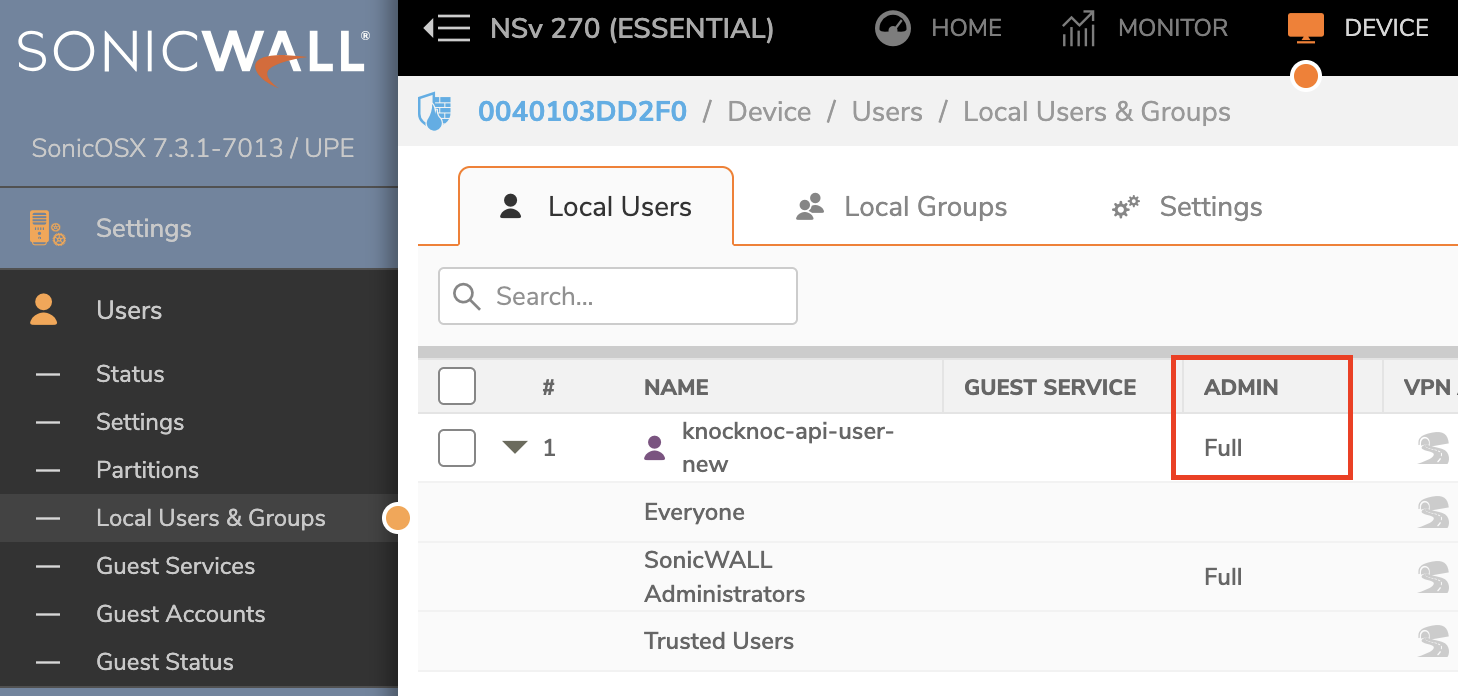
- Navigate to Device > Users > Local Users & Groups
- Verify the API user has administrative privileges or appropriate write permissions for address objects
- If the user belongs to a restricted group, consider assigning them to a group with full administrative access
For more details on API user configuration, see the SonicWall backend setup guide.
Check for Conflicting Address Objects
Knocknoc names an address object kk-<ip> for a single address and kk-<ip>_<prefix length> for a network, for example kk-192.168.100.53 or kk-192.168.100.48_29. SonicOS caps an object name at 32 characters, so a long IPv6 source is named kk- followed by 29 hexadecimal characters instead. If an object with the same name already exists:
- In the SonicWall management interface, navigate to Object > Match Objects > Addresses
- Search for address objects starting with
kk- - If conflicting objects exist that were not created by Knocknoc, either remove them or rename them to avoid conflicts
Check Address Object Limits
SonicWall firewalls have limits on the number of address objects that can be created:
- In the SonicWall management interface, navigate to Object > Match Objects > Addresses
- Review the total number of address objects
- If the firewall is approaching its limit, consider removing unused address objects or upgrading the firewall license
Information on the limits of Sonicwall is available here.
Restart the Agent
If the issue persists after verifying the configuration:
- Restart the Knocknoc agent service
- Attempt the access grant operation again