
VPNs, internal addresses and access
You may want to limit the ability to access a Knoc, depending on where your user is logging in to Knocknoc from.
For example, an internal subnet should only be opened up if the user is connecting from an internal IP address range, or if they are connected to a VPN and have an internal IP address.
How to set this up
A trust policy decides this. Under Admin > Trust Engine > Policies, add a policy with a Known networks restriction and list your office ranges and your VPN pool in CIDR form. Set its response to Block to refuse anyone outside them, or Challenge to let them in once they confirm who they are.
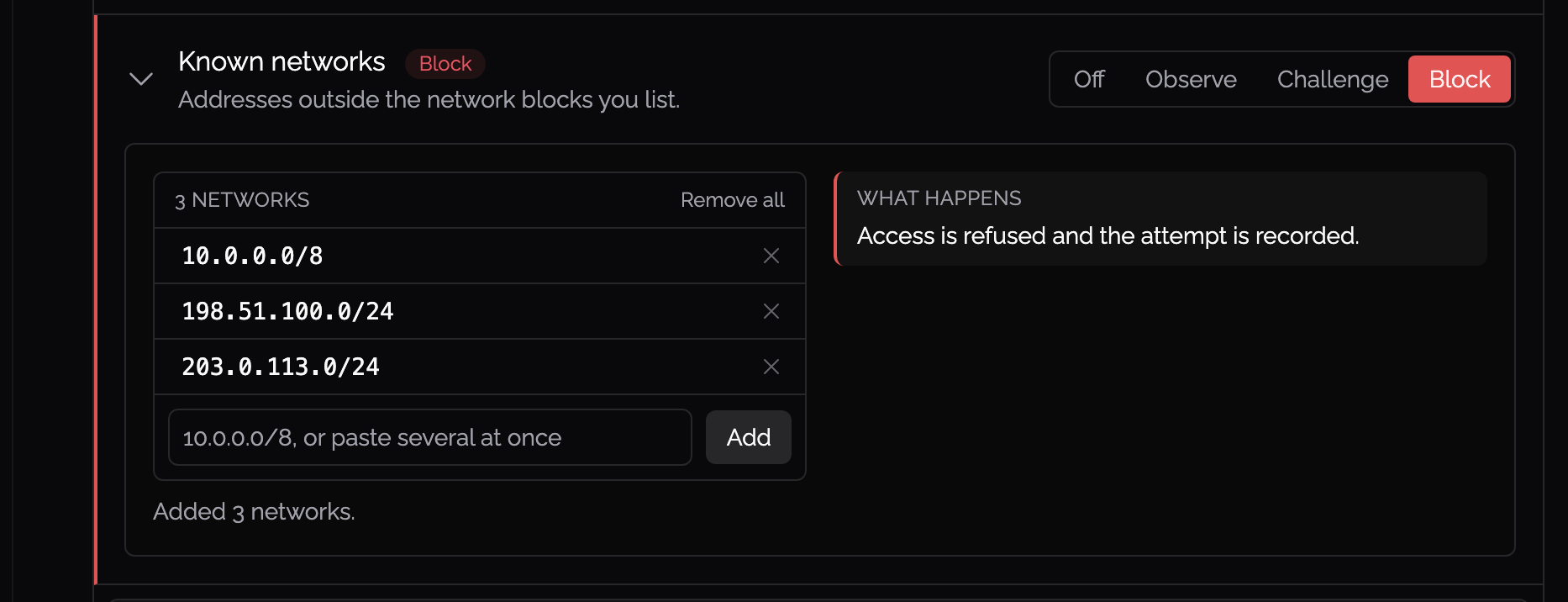
Then attach the policy to the Knoc. On the Knoc's Knoc Options tab, Trust Engine policy is a row of buttons, one for each policy you have. Choosing one shows what it does underneath.
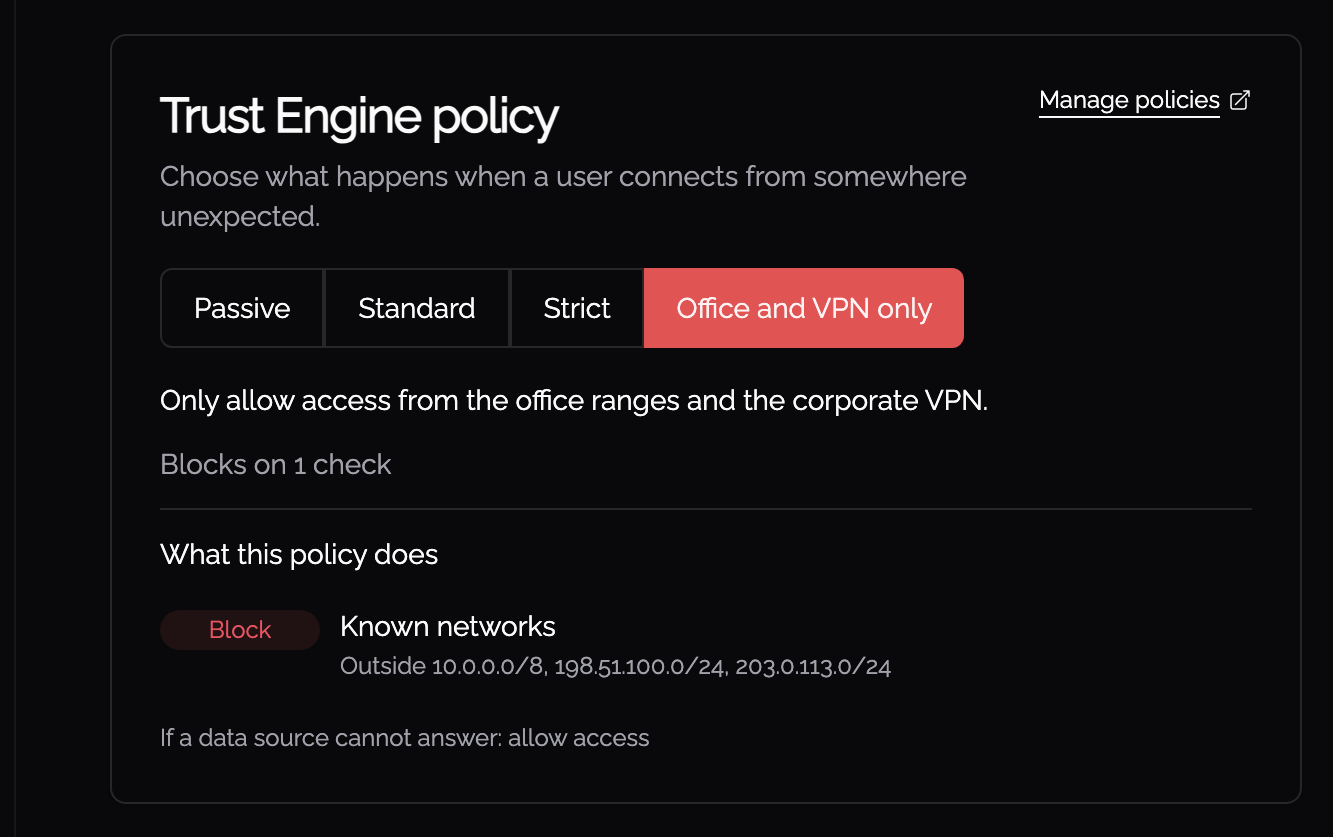
One policy can govern as many Knocs as you like, so the ranges are written once and every Knoc that should be office-only points at the same policy.
The address that is checked
A policy checks the address the person is connecting from, not the addresses the Knoc opens. A Knoc that opens 10.32.3.1 does not let in somebody at 11.1.1.1 just because the target is a private address. Being able to reach an address inside your range is not the same as connecting from inside it.
What the user sees
A blocked Knoc is still shown to the user with a note to contact their administrator, and the attempt is recorded under Blocked Grants. A Knoc set to Challenge shows Verification needed with a Verify button instead.