
201100 - Failed to Check if Address Exists
Agent error code #201100 indicates that the Knocknoc agent was unable to verify whether an address object exists on the SonicWall firewall.
This error occurs when:
- The SonicWall API returned an unexpected response when querying for the address object
- The address object name contains characters that the SonicWall API cannot process
- An internal error occurred on the SonicWall firewall while processing the request
Steps to Resolve
Verify the Address Group Configuration
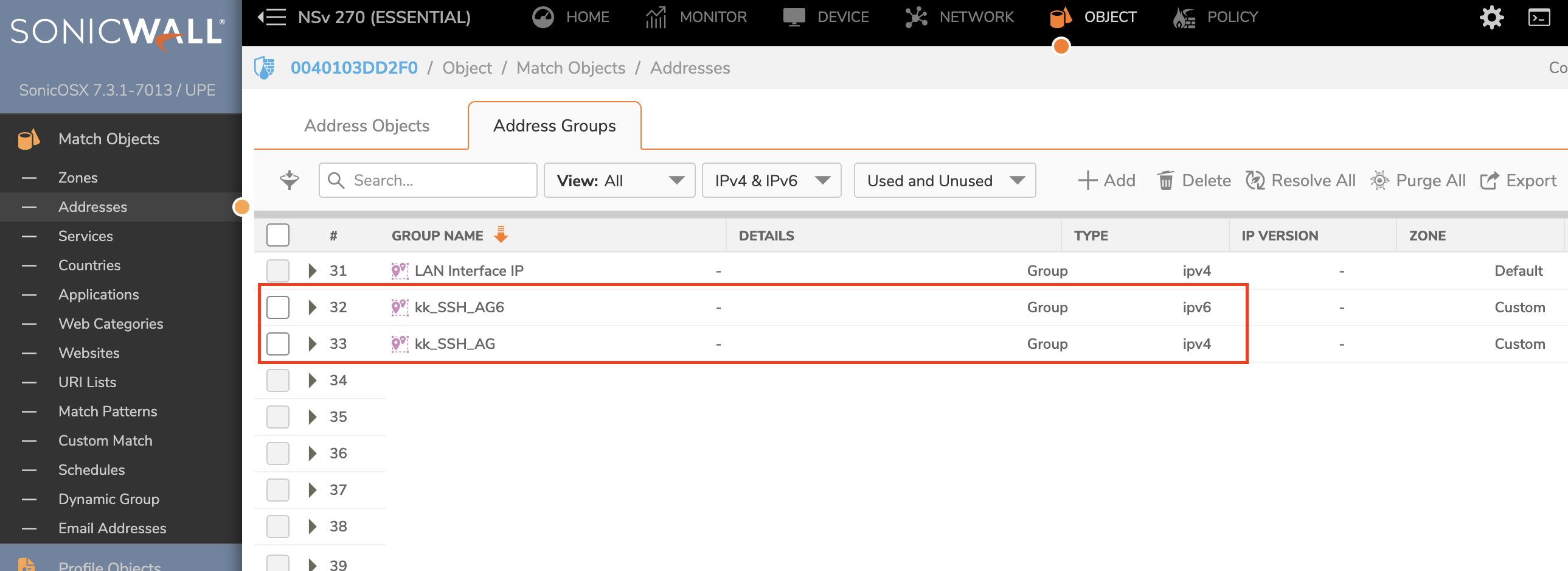
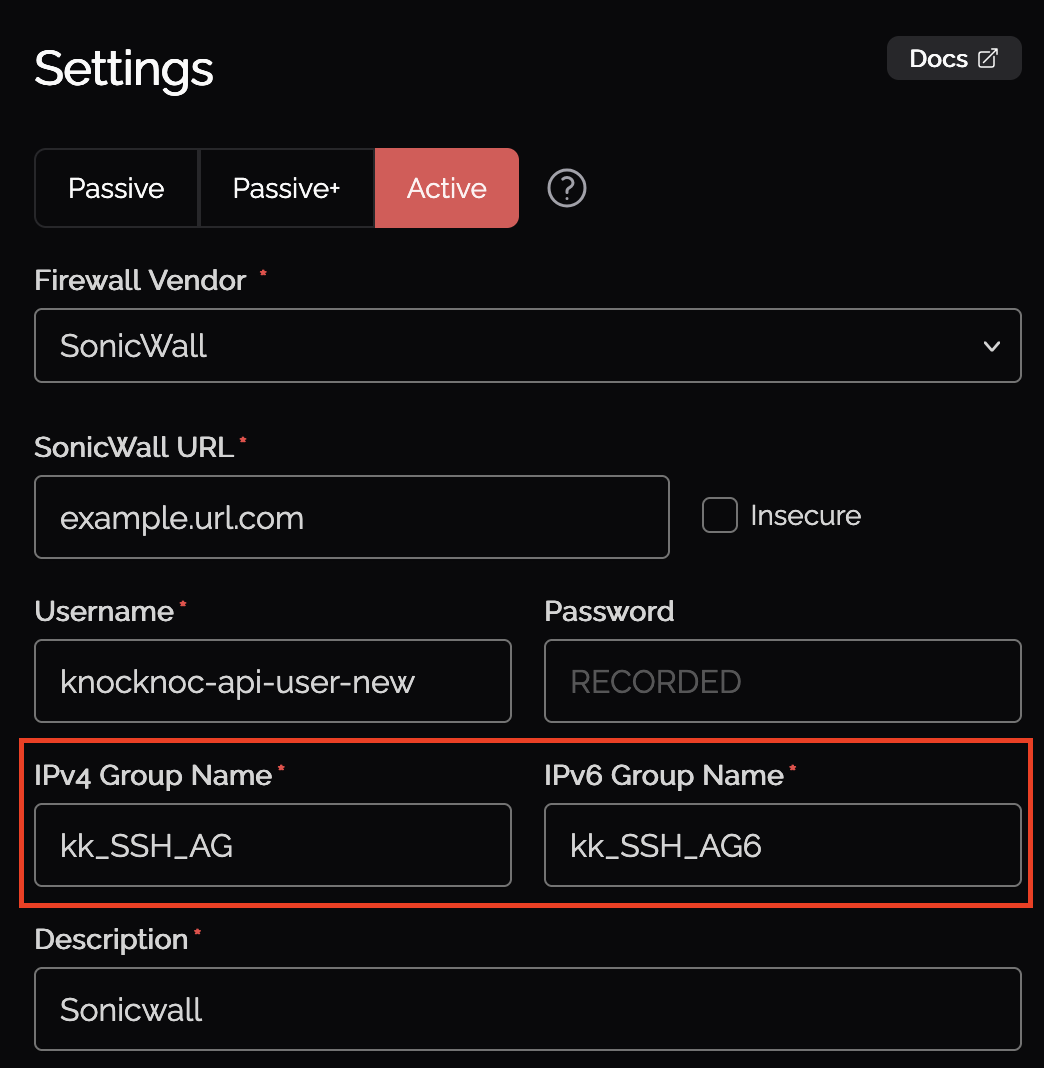
Ensure the address groups configured in Knocknoc exist on the SonicWall firewall:
- Log into the SonicWall management interface
- Navigate to Object > Match Objects > Addresses > Address Groups (tab)
- Verify that the IPv4 and/or IPv6 address groups specified in the Knocknoc ACL configuration exist
- If the groups do not exist, create them or update the Knocknoc configuration to reference existing groups
For more details on configuring address groups, see the SonicWall backend setup guide.
Verify API User Permissions
The API user must have sufficient permissions to query address objects:
- In the SonicWall management interface, navigate to Device > Users > Local Users & Groups
- Verify the API user has administrative privileges or appropriate read permissions for address objects
- If permissions were recently changed, the agent may need to re-authenticate
For more details on API user configuration, see the SonicWall backend setup guide.
Restart the Agent
If the issue persists after verifying the configuration:
- Restart the Knocknoc agent service
- Monitor the agent logs for any recurring errors
- Attempt the access grant or revoke operation again