
201003 - User Not Enabled for API Access
Agent error code #201003 indicates that the SonicWall user account authenticated successfully, but the account is not configured for API access. The credentials are correct, but the user or user group settings on the SonicWall firewall restrict the account to management UI access only.
This error occurs when:
- The user group has "Members go straight to the management UI on web login" disabled
- The user account is configured for web-based management only, not programmatic API access
- The user was created or modified without enabling API access permissions
Steps to Resolve
Enable API Access for the User Group
The most common cause of this error is a user group configuration setting. To enable API access:
- Log into the SonicWall management interface
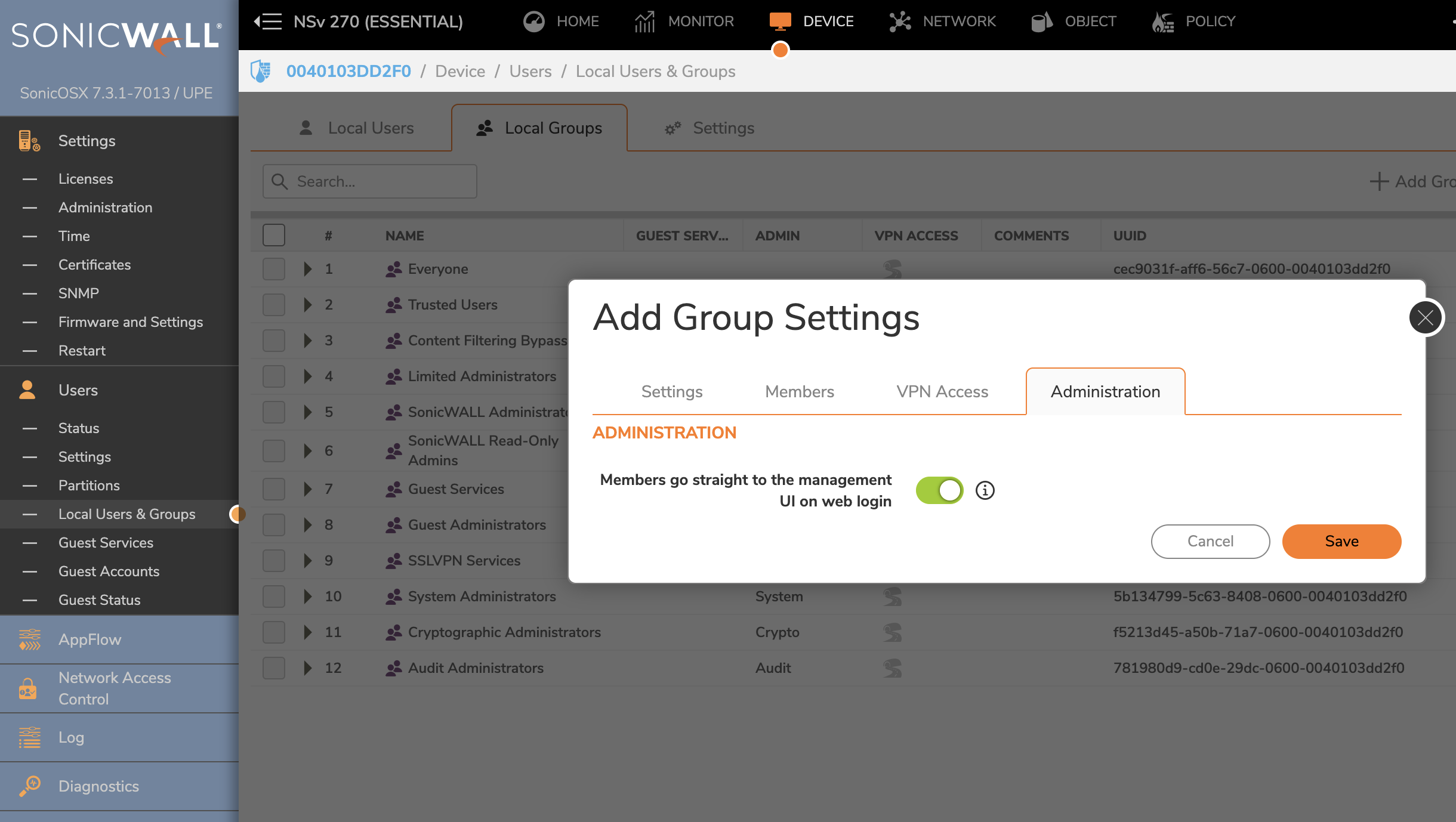
- Navigate to Device > Users > Local Users & Groups > Local Groups (tab)
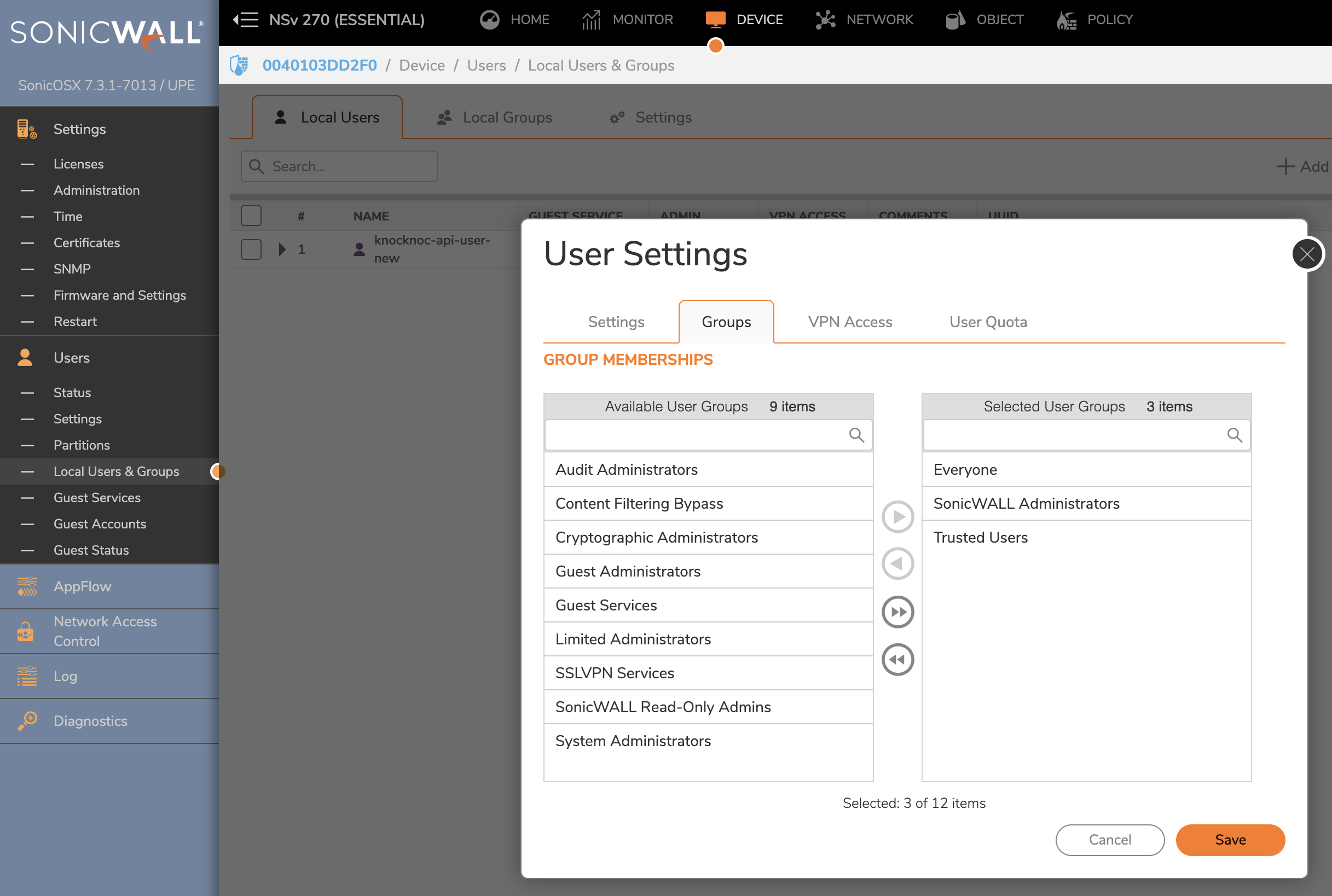
- Select the group that the API user belongs to (or create a dedicated group for API access)
- Select the Administration tab, then locate "Members go straight to the management UI on web login"
- Enable this setting
- Save the changes
This setting allows members of the group to access the SonicWall API rather than being redirected to the management UI.
Verify the User is in the Correct Group
After configuring the group:
Test API Access
After making changes, verify API access is working:
- Try to allow access to the Sonicwall instance in Knocknoc
- If the error persists, double-check the group settings and user membership