
Redirecting Users
Knocknoc supports twoa couple of ways to redirect the userusers to a specific siteand from theKnocknoc, Knocknocwhich Dashboard.can Thebe firstuseful wayfor iswhen you want users to redirectget fromwhere athey're parameter in the URL usedtrying to accessgo the Dashboard, the second is to have a user automatically redirect when logging in with a single Knoc.ASAP.
Redirecting to a Referrer URL
This is the most basic way to redirect users to a custom URL from the Knocknoc Dashboard. To achieve this, simply add the referrer query parameter to the link used to access Knocknoc, for example: https://my.example.knocknoc.com?referrer=https://my.website.com
Note: The referrer link will only be redirected to if the user has a Knoc with a URL matching the same base as the referrer.
This can be useful as a static redirect, or it can also be dynamic, depending on your firewall configuration.
For example, if this Javascript is used on your redirect page, then once the user is authenticated with Knocknoc they will be sent back to the page they were trying to access.
<script>
        const baseUrl = 'knocknoc.mycompany.com';

        setTimeout(() => {
                const currentUrl = document.URL;
                if (!currentUrl || !baseUrl) return;

                try {
                        // Add https:// if the URL doesn't already have a scheme
                        let normalizedBase = baseUrl.trim();
                        if (!/^https?:\/\//i.test(normalizedBase)) {
                                normalizedBase = 'https://' + normalizedBase;
                        }

                        const redirectUrl = normalizedBase + '?referrer=' + encodeURIComponent(currentUrl);

                        const url = new URL(redirectUrl);
                        window.location.href = url.toString();
                } catch (err) {
                        console.error('Invalid redirect URL:', err);
                }
        }, 3000);
</script>
Auto-Browse for a Single Knoc
The auto-browse option available within the Knoc configuration, automatically forwards the user after successful login, to the Knoc should it be the only Knoc they have available to them.
This can streamline the users' login experience, and depending on the protocol (e.g., https or sftp, SAP, etc) their workstation can automatically launch the required software if this sits outside the web browser.
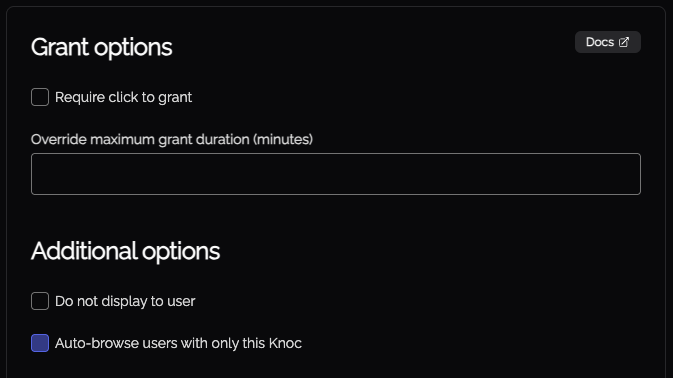
Also note that if this is the user's only available Knoc, the card will not be visible prior to the auto-browse redirect.
Disable local user login
This option disables local user logins, meaning that users will only be able to log in with SAML. A benefit of this is that because only SAML logins are now enabled, when a user navigates to (or is redirected to) the Knocknoc log in page they will be automatically redirected into the SAML process.
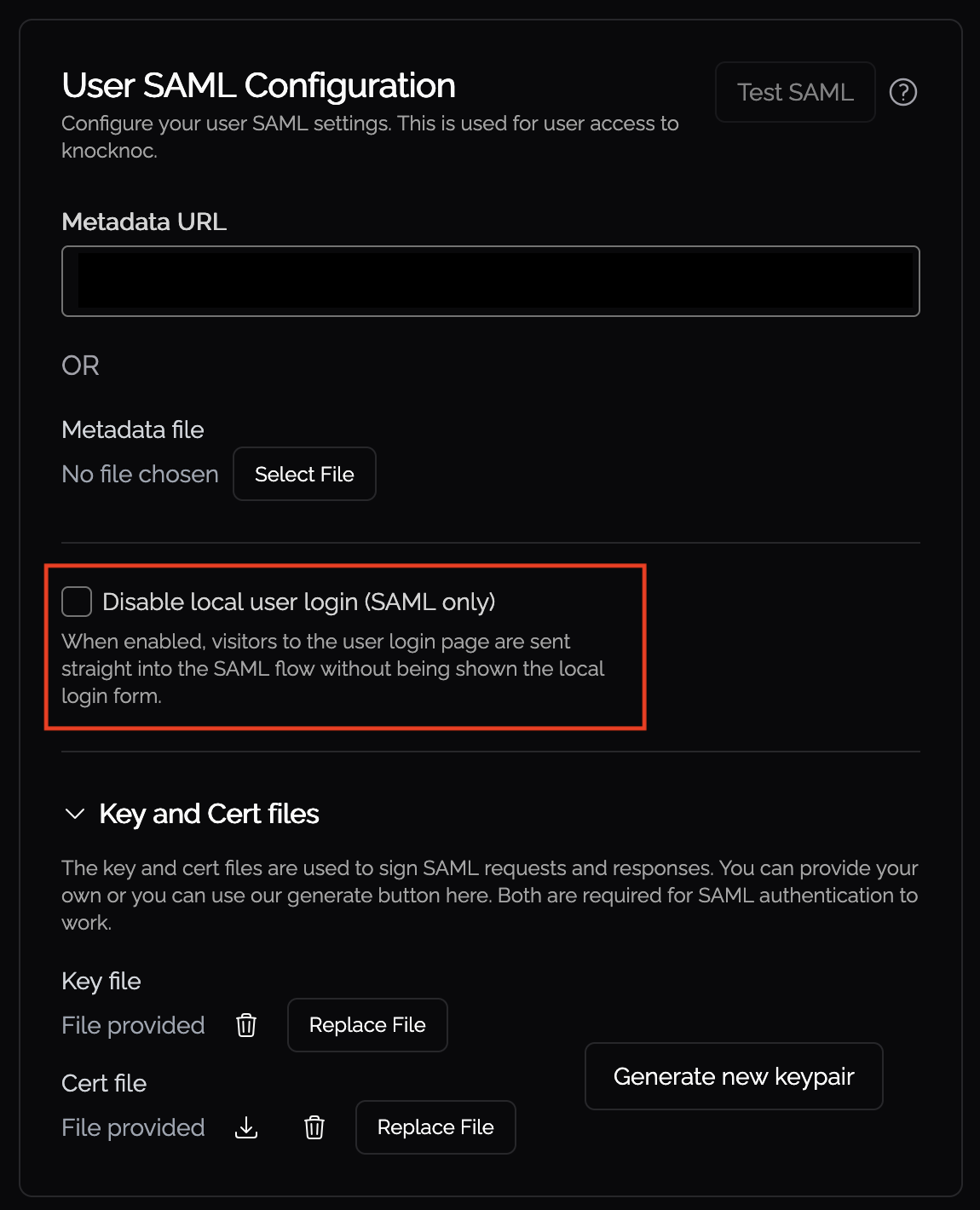
When combining this option with the above mentioned Javascript on your redirect page, it is possible to have an instant redirection from a resource protected by Knocknoc through to a logged in Knocknoc instance, so the user can quickly get access without overhead.
Instant redirects
There is a per-Knoc setting available when creating a Knoc or editing one in the Knoc Options section which will perform redirects instantly, instead of showing a countdown box before the redirect. This option will make redirections from the Auto-browse feature and Referrer URLs instant.
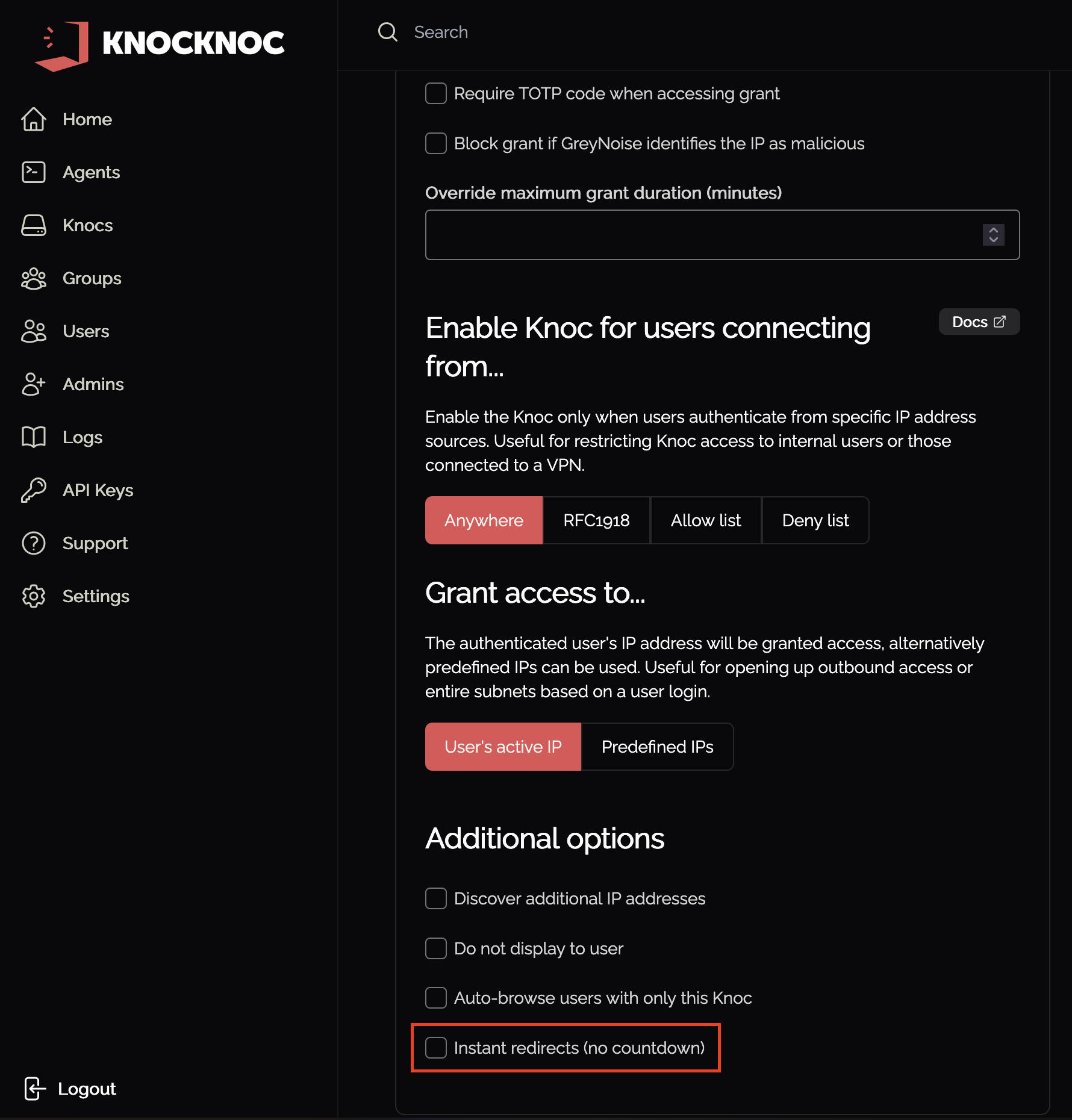
If this option is combined with the "Disable local user login" option, it is possible to have Knocknoc grant access to a protected resource for a user without them even seeing Knocknoc in the first place. To this, these steps are required:
If the firewall Knocknoc is integrating with is quick, access to the protected resource will be near instant, otherwise it way take up to a few seconds.