
Manual Access
Default deny is great to test what IP's are locked out, but when you want to manually test access to a new IP, you'll need the tools for it. Knocknoc lets you safely create a short-lived manual access path when needed.
Below is how to grant 20 minutes of manual access to a specific IP.
Granting 20-Minute Manual Access
⚠️ You’ll need Admin access to perform these steps.
- Log in to your Admin console:
https://<your-server>/admin - Go to the Knoc you want to configure.
- Select Manual access.
- Enter the specific IP address that should be allowed.
- This can be an internal or external IP, depending on where the user or system is connecting from.
- Save/apply the change.
That IP now has 20 minutes of access through that Knoc.
Granting Manual Access from the Knocs List
You can also add manual access directly from the Knocs overview:
- Open the list of all Knocs.
- Find the Knoc you want to update.
- Click its kebab menu (vertical ellipsis).
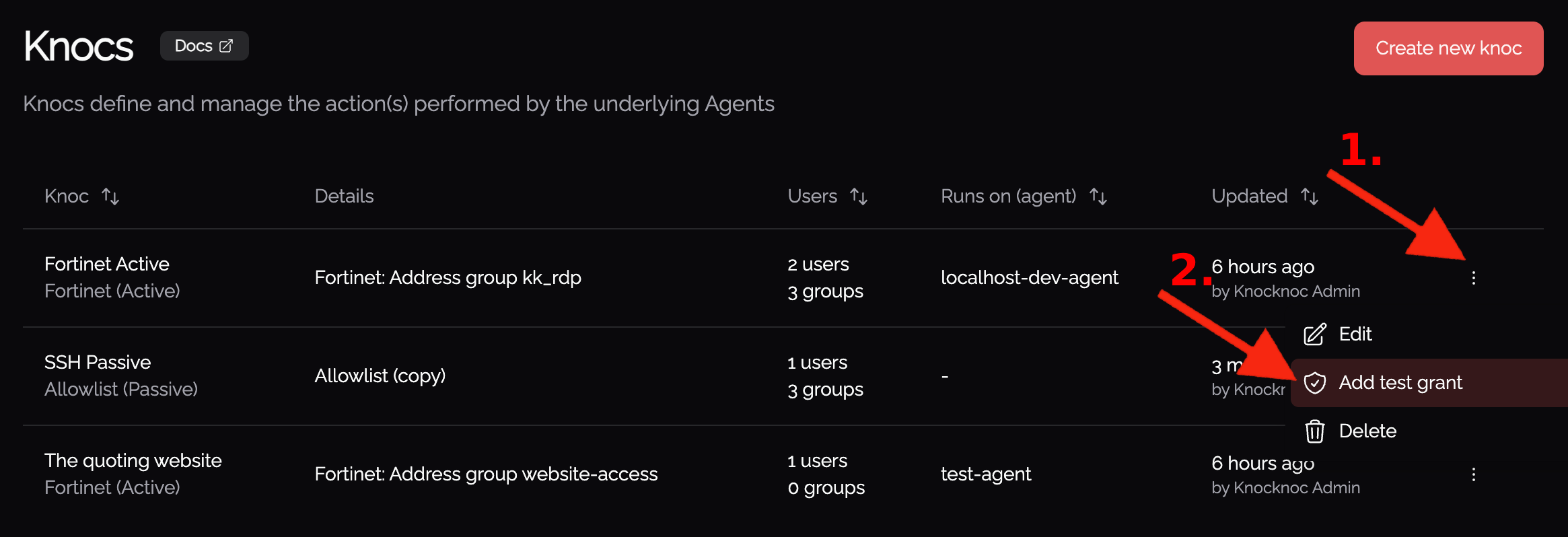
- Choose the option to manage Manual access.
- Add the IP address you want to allow.
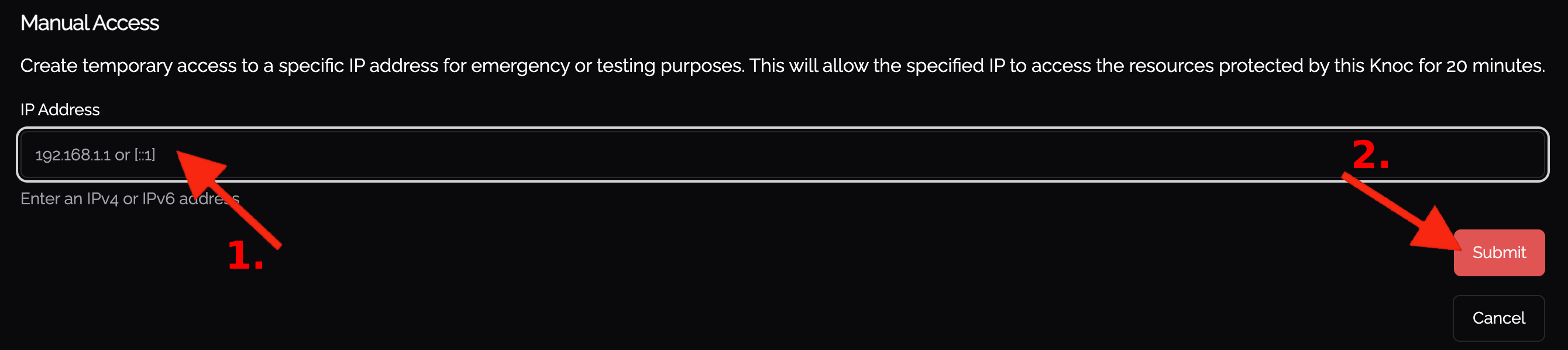
- Save/apply the change.
This grants that IP a 20-minute access window.
Granting Manual Access from Within a Knoc
When editing an individual Knoc, you can also configure manual access there:
- Open the Knoc you want to edit.
- Go to the Manual access section.
- Add the IP address that should be allowed.
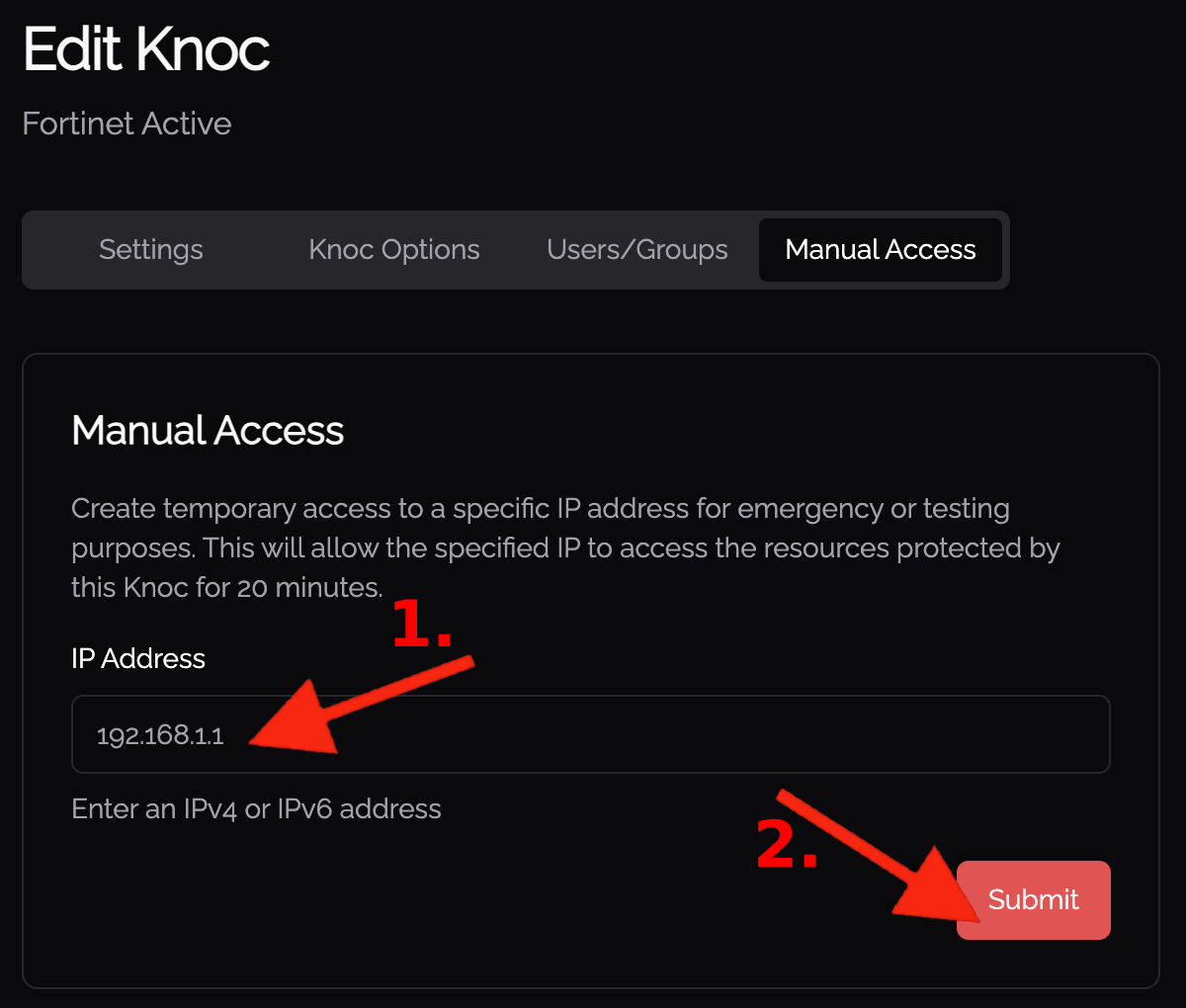
- Save your changes.
This is useful when you’re already adjusting other settings on the Knoc and want to temporarily allow an IP at the same time.
Use these options whenever you need short-term, controlled access, without changing your default deny baseline.