
Identities overview
The Overview tab under Identities is the first thing you see when you open Identities in the admin interface. It gives you one place to see what your users, groups and admins have been doing recently, without opening each identity one at a time.
Activity chart
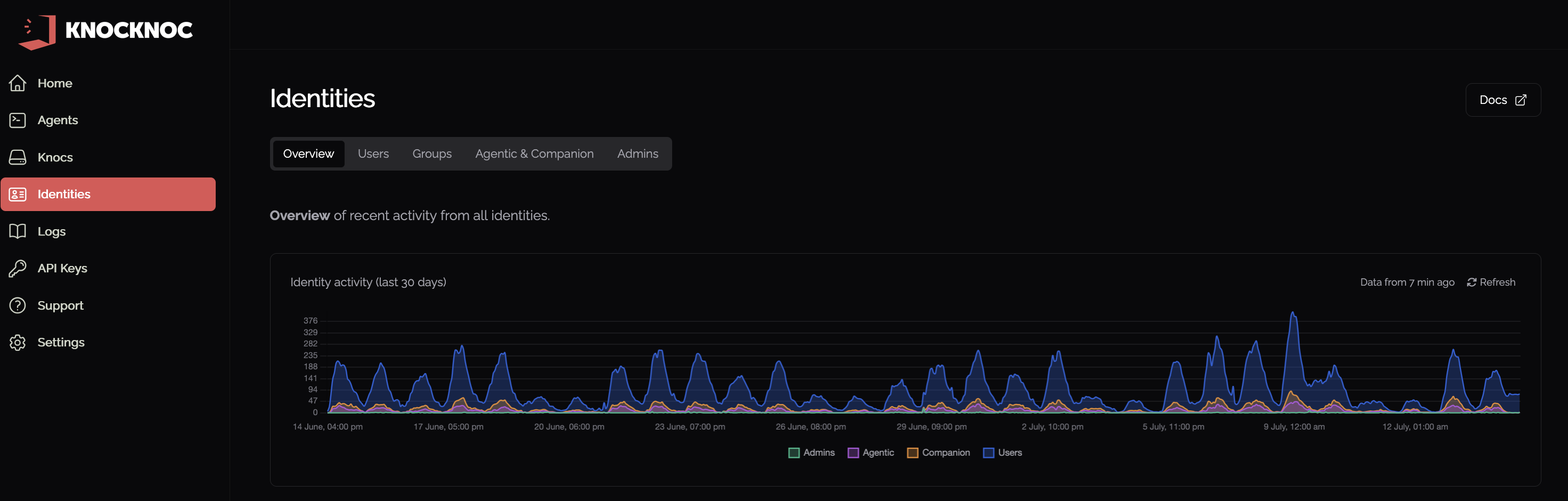
At the top of the page is the Identity activity chart. It plots activity over time, broken down by Users, Admins, Agentic and Companion access, so you can spot busy periods and quiet ones at a glance. A label shows how recently the data was pulled, and Refresh reloads it on demand.
Activity table
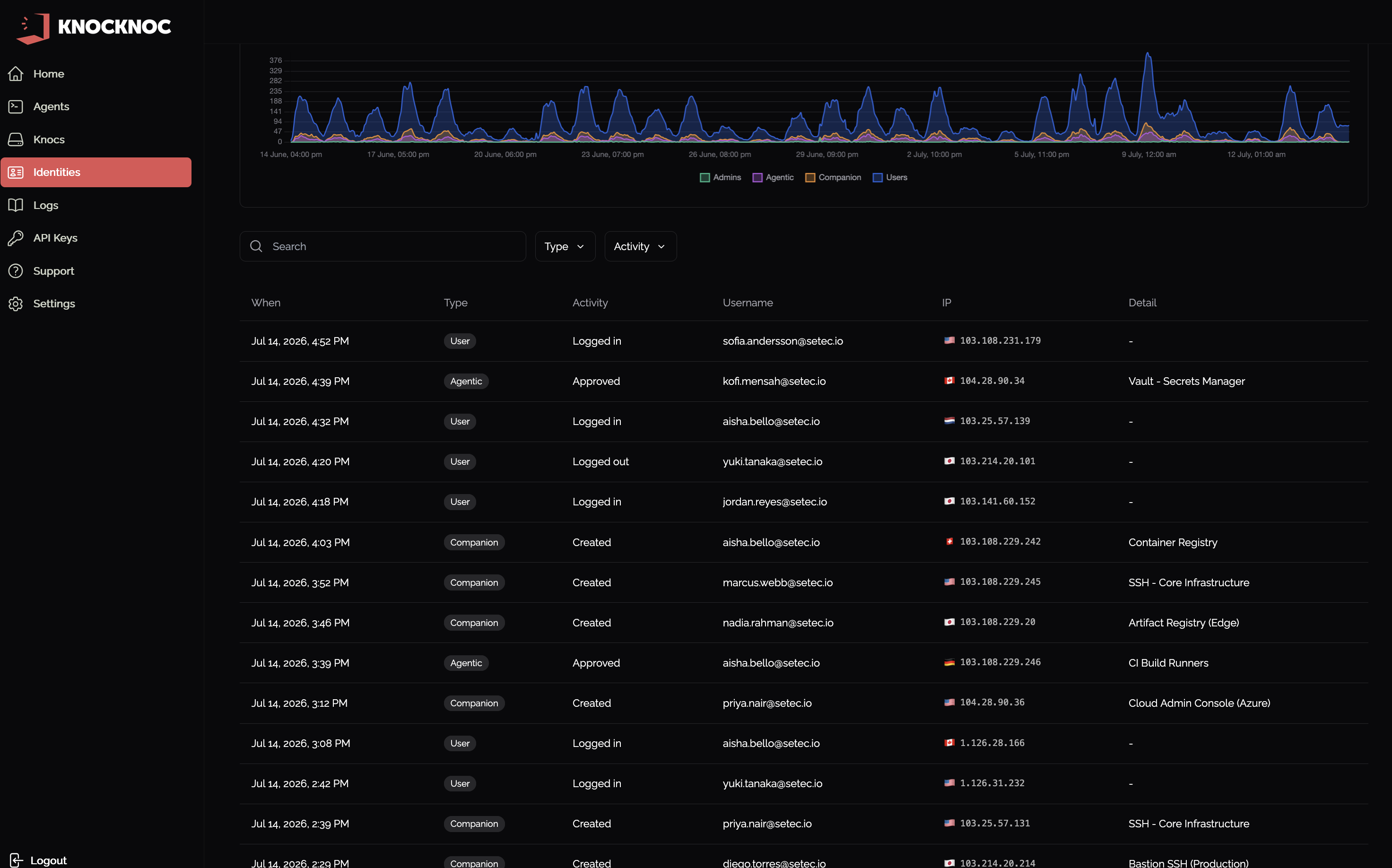
Below the chart is a table of recent activity from every identity. Each row is a single event and shows:
- When it happened
- Type of activity: User, Agentic or Companion
- Activity, such as a login or logout, an approved agentic request, or a created companion
- Username of the identity involved
- IP address the activity came from, with its country flag
- Detail, such as the Knoc that was accessed
Use the search box and the Type and Activity filters to narrow the list. Clicking a username or a Knoc name in a row takes you straight to that identity or Knoc.
Managing identities
The other tabs under Identities are where you manage the identities themselves: