
F5 Networks
Knocknoc can orchestrate F5 Networks BigIP and related devices via two mechanisms, including iRules "Data group List" and the AFM. Typically iRules are utilized as they can be deployed across both high-end F5 devices and lower/smaller deployments.
The iRules can redirect unauthenticated requests based on layer-7 paths (eg: example.com/wp-admin/ ) sending users back to Knocknoc for authentication. This can be configured to automatically forward users once authenticated via SSO, resulting in a smooth user experience whilst linking access through the F5 to authentication at a VIP or iRule-matched level.
Server version 26.06.2+ and Agent version 26.06.2+ are required for this functionality.
F5 BigIP configuration
API access for Knocknoc orchestration-agent
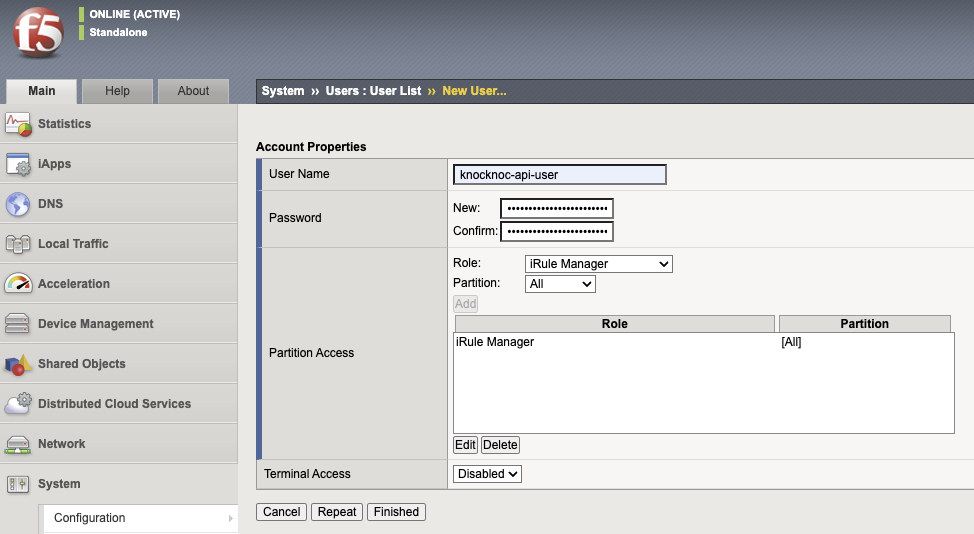
- Log in to the F5 BigIP
- Navigate to "System" -> "Users"
- Click "Create" user
- Insert a name, eg: knocknoc-api-user
- Set a password. This will be provided via the Knocknoc UI and stored asymmetrically encrypted on the chosen orchestration-agent.
- Set the role as "iRule Manager"
- Choose the partition, and click "Add"
- Now "Finished" to save.
iRules "Data Group List"
- Navigate to "Local Traffic"
- Hover on "iRules" and click "Data Group List"
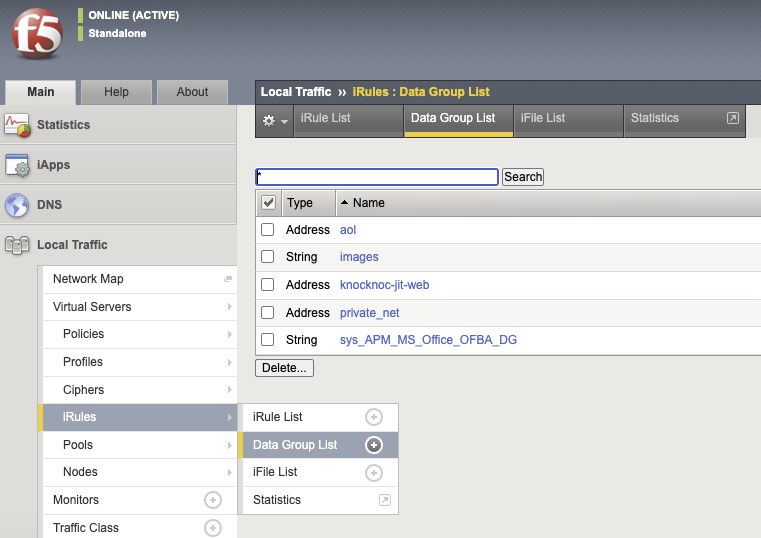
- Click "Create"
- Type in a name, this will be used in the Knoc configuration. Eg: knocknoc-jit-vip45
- Set the Type to "Address"
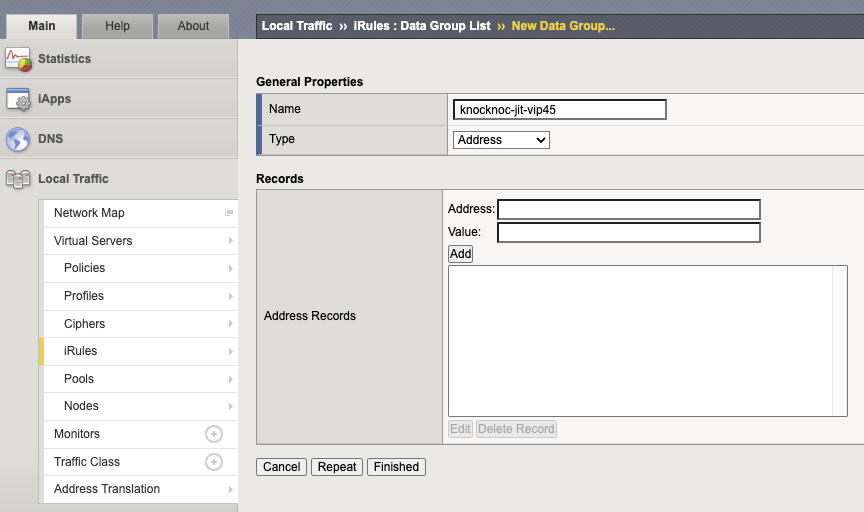
- Click "Finished" to save.
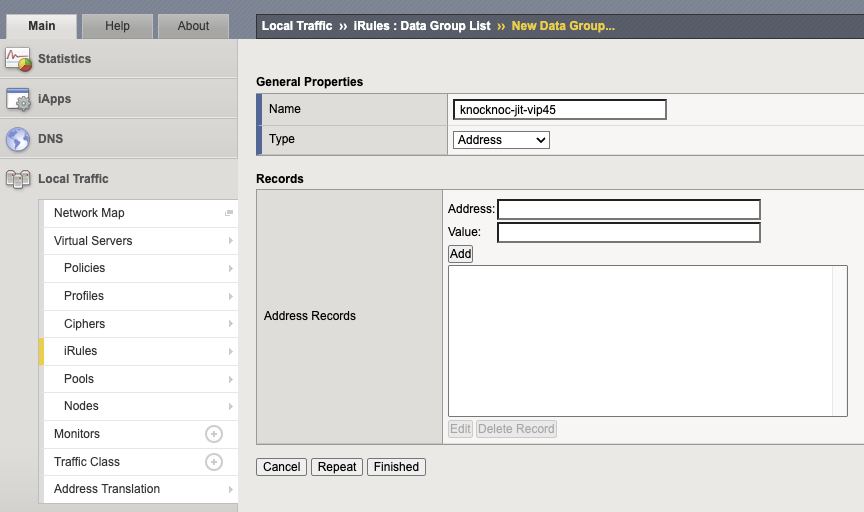
iRule configuration
You can now reference this list in an iRule. Be careful (as always with iRules) of ordering, for performance reasons.
iRule example, to reject (could be changed to "drop"):
when CLIENT_ACCEPTED {
    if { not [class match [IP::client_addr] equals knocknoc_jit_vip45] } {
        reject
    }
}
iRule example, to match on a patch and redirect:
when HTTP_REQUEST priority 1 {
    # 1. Gate: redirect unauthorized /wp-admin hits
    if { [string tolower [HTTP::path]] starts_with "/wp-admin"
         && not [class match [IP::client_addr] equals knocknoc-jit-vip45] } {
        HTTP::redirect "https://yourknocknocserver.example.com/?referrer=[URI::encode "https://[HTTP::host][HTTP::uri]"]"
        return
    }
}
These are basic examples, but the flexibility of the F5 is second to none.
Knoc configuration
F5 BigIP "iRule" orchestration
- Log in to Knocknoc as an Admin (/admin)
- Select Knoc, Create new
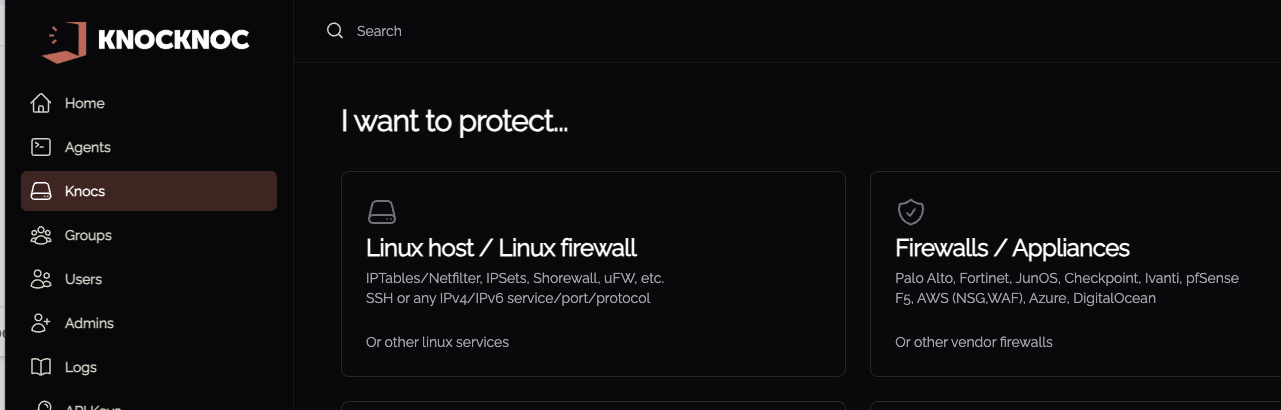
- Select Firewalls/Appliances
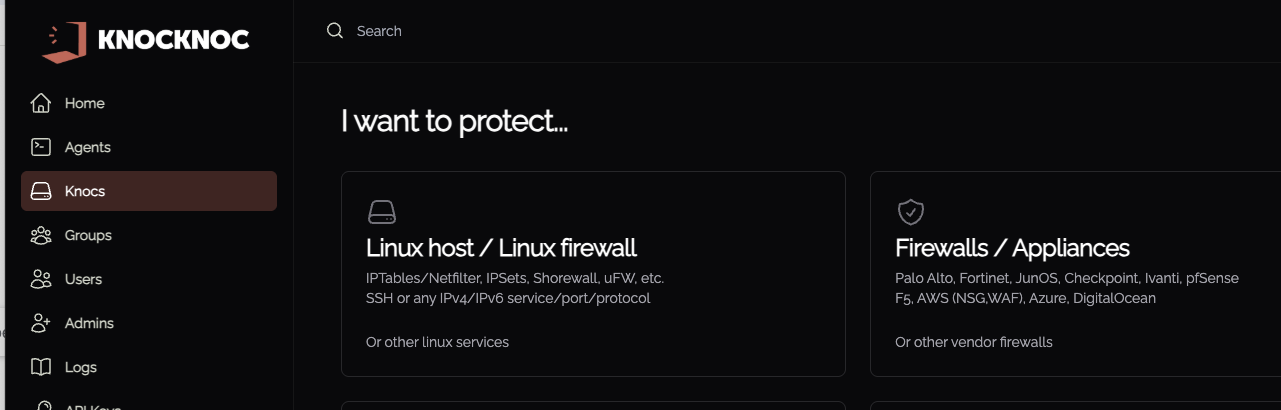
- Select "Active", then "F5 BigIP"
- Provide the Account ID (copied from the Cloudflare dashboard, as above)
- Provide the API Key (created in Cloudflare, as above)
You're now ready to test end to end!
Validating
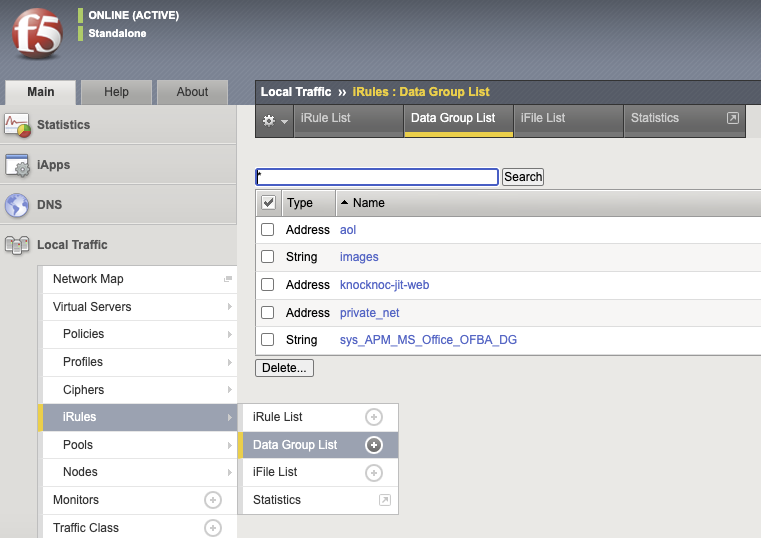
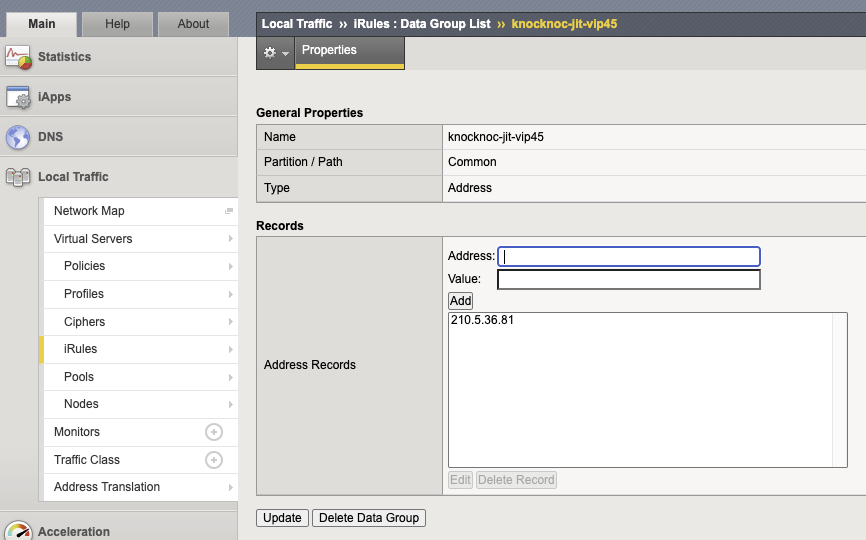
- Log in to the F5 and view the iRule Data Group List.
- Log in to Knocknoc as a linked user, note the Granted status.
- Looking at the Data Group List, your users IP address will now appear.
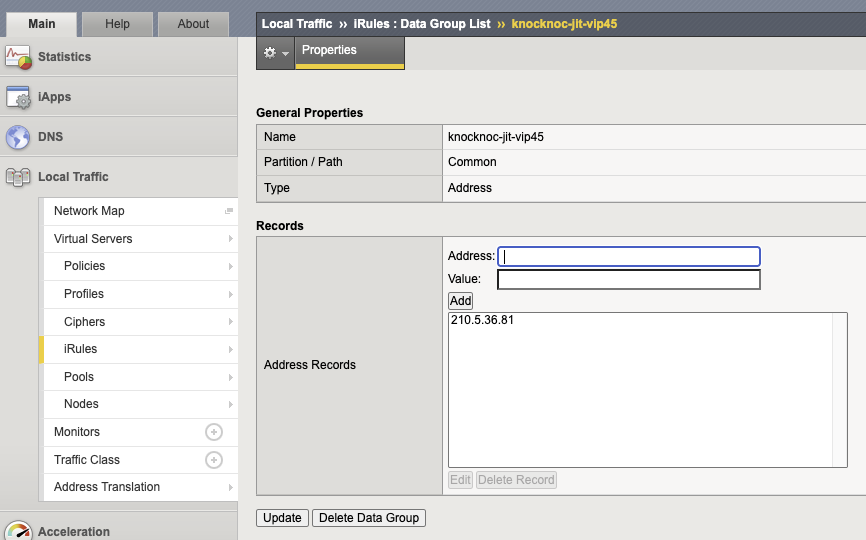
- Logging out and refreshing will remove the user's IP address entry, leaving any static/other entries.
A note on user attribution
F5 BigIP only supports one list entry per IP address. Usernames cannot be associated within the address-records.
This follows the same "last one out, turns out the lights" approach. See LOOTOOL for more information on this behavior.