
200102 - Failed to Get Address Group Members
This error indicates that the Knocknoc agent was unable to retrieve the current members of an address group on the Palo Alto Networks firewall. This error occurs when using Active mode, where Knocknoc directly manages address objects and address groups on the firewall.
Before granting or revoking access, the agent reads the current membership of the configured address group. This error is raised when that read operation fails.
A group that is simply not there reports #200107 instead, so this code means the read itself was refused or could not be understood.
This error typically occurs when:
- The API key lacks permission to read address groups in the configured device group or virtual system (vsys)
- The specified device group or virtual system does not exist or is inaccessible
- The firewall returned an unexpected or malformed response
- Network connectivity issues prevented the request from completing successfully
Steps to Resolve
Verify API Key Permissions
The API key must have permission to read address groups in the configured location (device group or vsys):
- Log into Panorama or the firewall's web interface
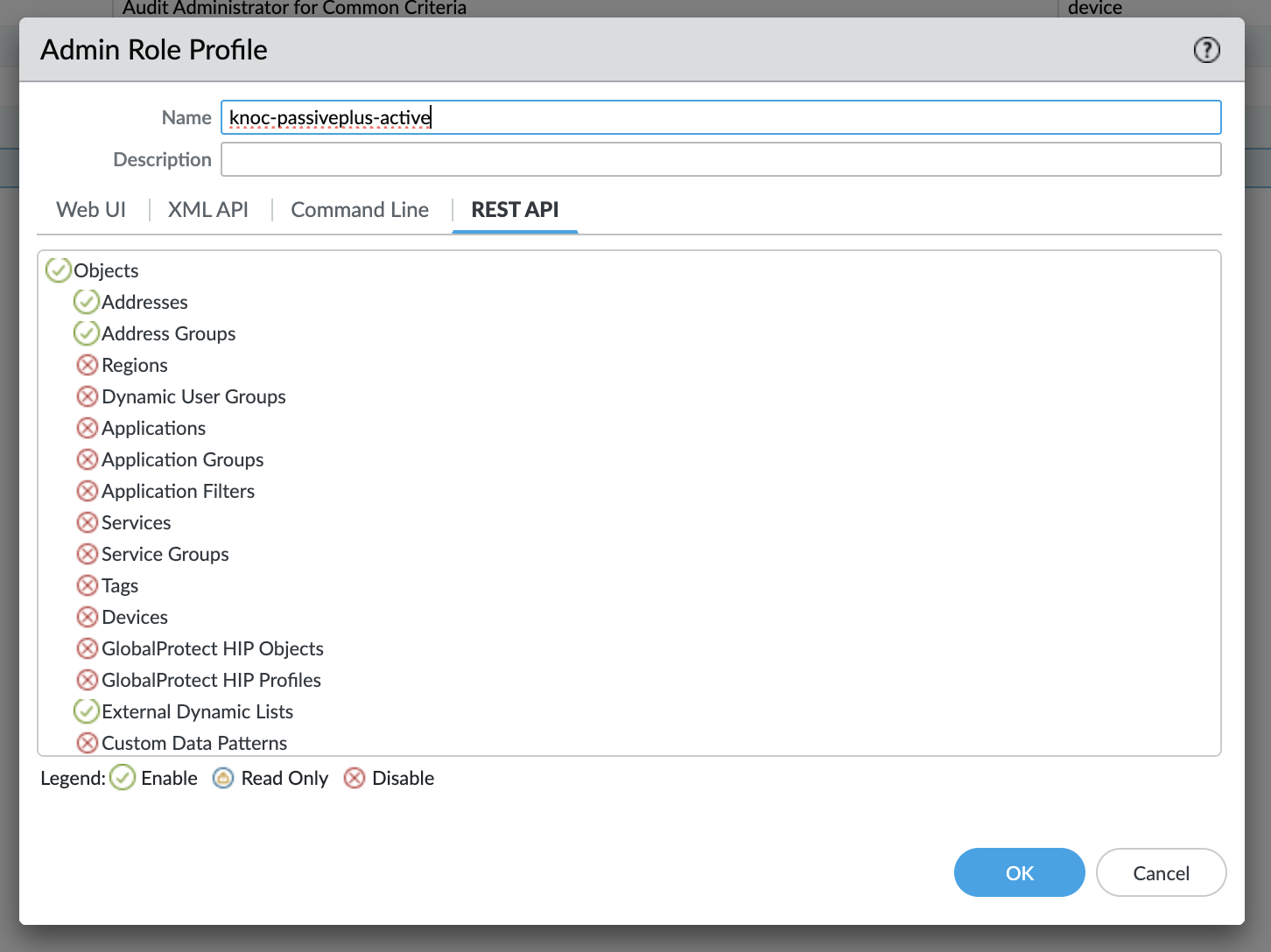
- Navigate to Device > Admin Roles and locate the role assigned to the admin account used to generate the API key
- Verify the admin role has read access to address groups (REST API Objects > Address Groups)
For more details on API key configuration, see the Palo Alto setup guide.
Verify Device Group or Virtual System Configuration
When using Panorama, ensure the device group is correctly configured:
- In Knocknoc, check the device group setting in the backend configuration
- In Panorama, navigate to Panorama > Device Groups and verify the device group exists
- Ensure the device group name in Knocknoc matches exactly (case-sensitive)
When connecting directly to a firewall, if virtual systems are in use, ensure the virtual system is correctly configured:
- In Knocknoc, check the vsys setting in the backend configuration
- On the firewall, navigate to Device > Virtual Systems and verify the vsys exists
- Ensure the vsys name in Knocknoc matches exactly (e.g., "vsys1")
Check Network Connectivity
Verify that the agent can reach the firewall or Panorama management interface:
- Confirm the hostname or IP address in the backend configuration is correct
- Verify that the management port (typically 443) is accessible from the agent
- Check for any firewall rules or network policies that may be blocking the connection