
Identities
The Sessions tab under Identities is the first thing you see when you open Identities in the admin interface. It lists every sign-in across the deployment, live and finished, so you can see who is connected without opening each identity one at a time.
Active sessions chart
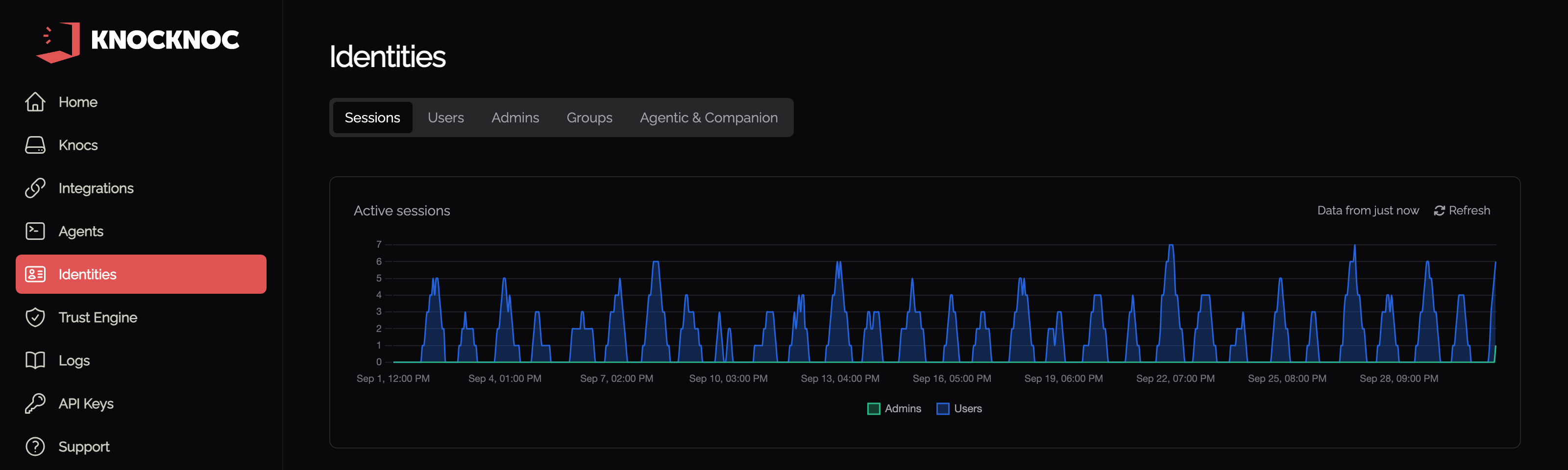
At the top of the page is the Active sessions chart. It counts how many sessions were active in each hour of the last 30 days, with a series for Users, Admins, Agentic and Companion access. A session that spans several hours is counted in every hour it covers, and a series only appears once there is something to plot. A label shows how recently the data was pulled, and Refresh reloads it on demand. The chart always covers the same 30 days and is not affected by the filters below it.
Finding a session
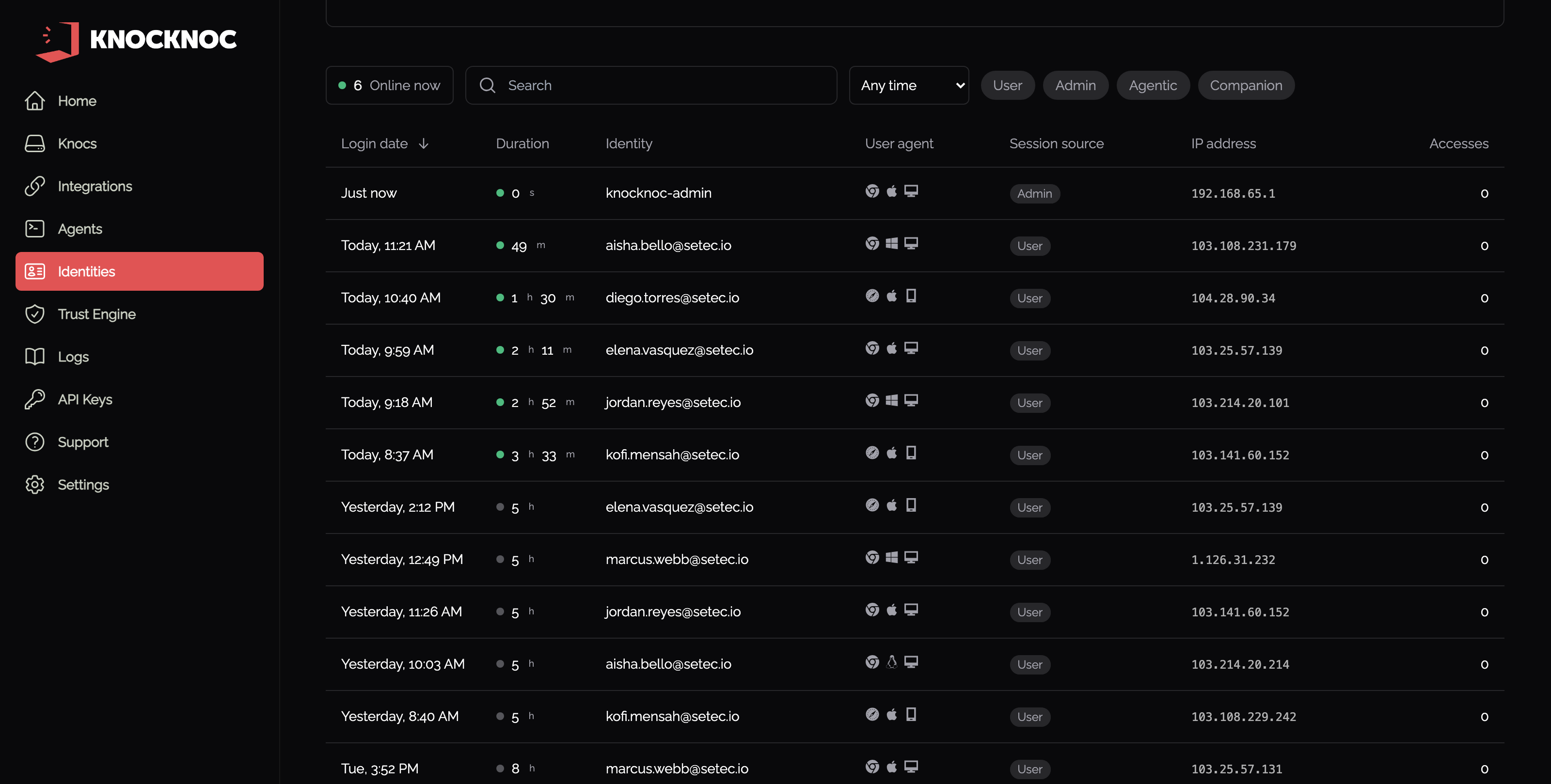
Four controls narrow the list below the chart:
- Online now is both a count and a toggle. Click it to show only sessions that are still live.
- The search box narrows the list by identity.
- Period covers Any time, Last hour, Last 24 hours, Last 7 days, Last 30 days, and a Custom range.
- User, Admin, Agentic and Companion filter by where the session came from.
The Online now count obeys whatever else is set, so it always matches the list you are looking at.
Sessions table
Each row is one session, not one event. The columns are Login date, Duration, Identity, User agent, Session source, IP address, and Accesses, which counts the knocs that session was granted. A live session shows a green dot beside its elapsed time, and a finished one shows how long it ran.
Clicking the Login date opens that session. Clicking the Identity opens that user or admin.
Looking at one session
The session view shows how much of the allowed time has elapsed, the IP address, the browser and operating system behind the user agent, and the authentication method. End Session signs out that one session. Below those, Metadata history records each time the IP address, user agent or device fingerprint changed while the session was open.
To sign out everyone at once, or to end sessions from a script, see Manage user sessions.
Managing identities
The other tabs under Identities are where you manage the identities themselves:
- Users
- Admins
- Groups
- Agentic & Companion