
Session limits and disconnecting sessions
Each Knocknoc user has a limit on how many things can be signed in and holding access at the same time. When that limit is reached, the user is shown a Session limit reached screen and asked to disconnect one of their active sessions before they can continue. This stops a single account from building up unlimited access from many places at once.
What counts towards the limit
A user's limit is a single shared pool. Three kinds of thing each take up a place in it:
Companion devices do not count towards the limit. They are managed and capped separately when the device is added, so registering a companion device never uses up a place in the pool.
Places free up on their own as sessions expire, links are used and expire, or the user logs out. A pool that is full now will usually clear itself over time without any action.
Where the limit comes from
The limit is set for each user, and defaults to the limit included with your Knocknoc plan. A user with no limit of their own gets the plan default. A per-user limit can be lower than the plan default, and can also be supplied by your identity provider when users sign in with SAML.
What the user sees when the limit is reached
If a user tries to sign in while their pool is full, or is already signed in in another tab, they are taken to the Session limit reached screen instead of their home page. It explains that they need to disconnect a session or device to continue, and shows how many places are in use.
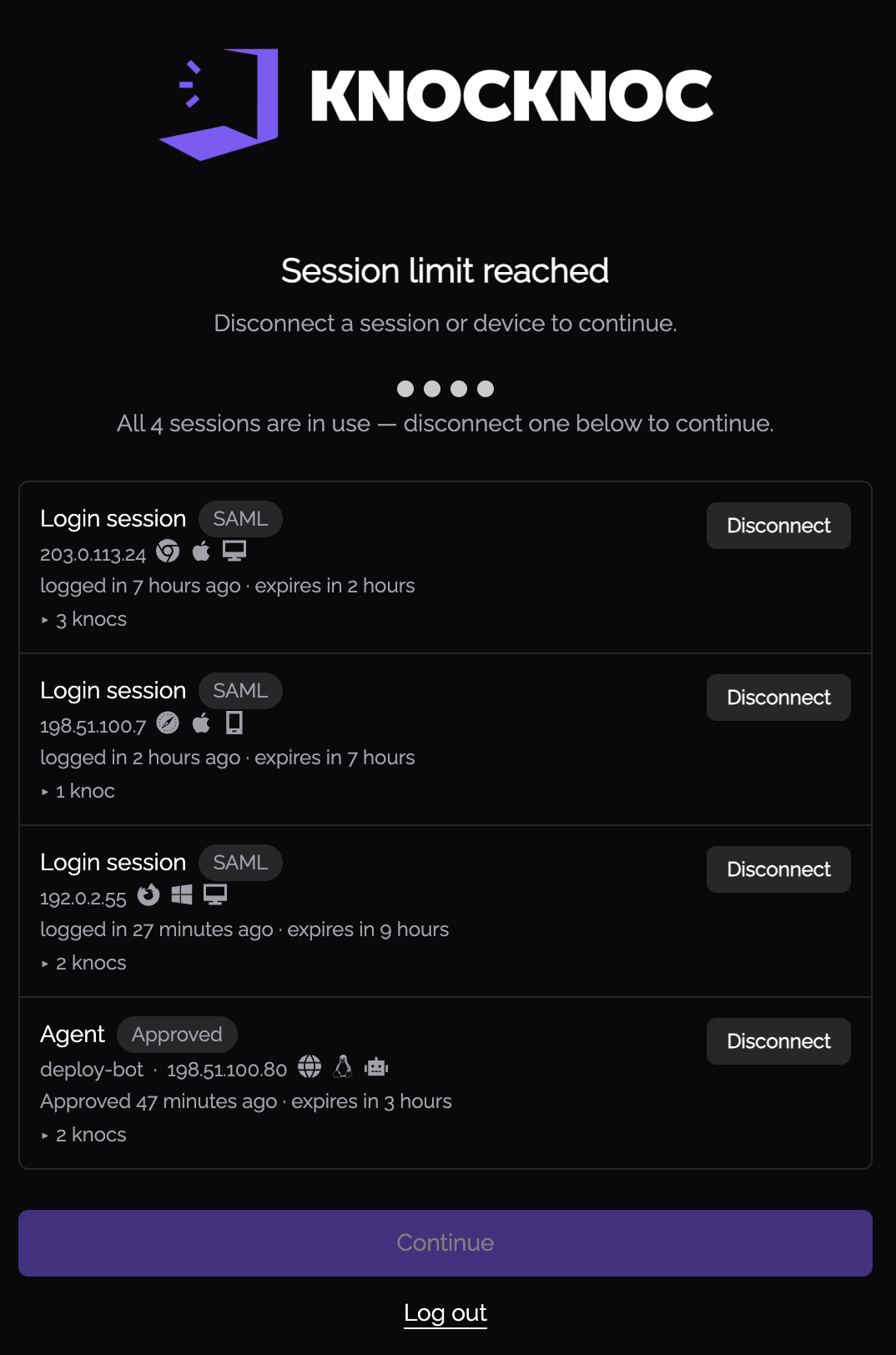
The screen lists every active session and device using the account. For each one the user can see:
The user's own current session is marked This device. It cannot be disconnected here, because disconnecting your own session is simply logging out. That is offered as a separate option.
Continuing past the limit
The user has two choices:
Sign-ins that cannot use this screen
Sign-ins made with an API key have no interactive screen to fall back to. When the pool is full, an API key sign-in is rejected rather than being sent to the session-limit screen. Freeing up a place, or raising the user's limit, allows it to succeed on the next attempt.