
Predefined IP sources
A knoc normally grants the IP address the user logged in from. Predefined sources change that: instead of the user's own address, the knoc grants a fixed list of addresses or networks whenever it is triggered. A user logs in, clicks the knoc, and the addresses you nominated are what reach the firewall.
That is how you open outbound access for a whole subnet, or grant a set of servers, off the back of a person logging in.
Setting Predefined Sources
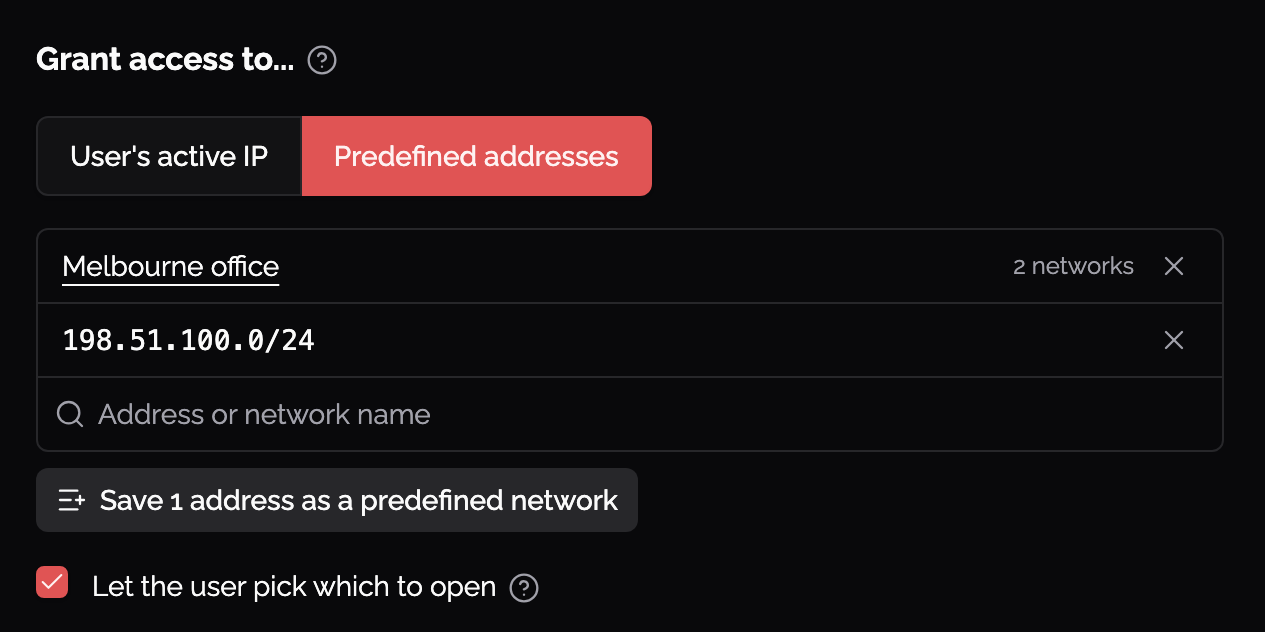
On the knoc, under Grant access to, choose Predefined addresses instead of the user's IP address. Then list what you want granted.
One box takes all of it. Type an address, a network in CIDR form, or the name of a predefined network and pick it from the list:
203.0.113.42grants that one host. It is stored as203.0.113.42/32, which is the same thing written explicitly192.168.100.48/29grants the whole eight-address network2001:db8:1234::/48grants that IPv6 network.
Predefined networks
A source can also be a predefined network: a reusable list of CIDRs kept under Identities > Predefined networks and picked by name. The same network can be used by a knoc's sources, API key and allowlist secret sources, a trust policy's known networks, and admin sign-in sources, so a range you allow in several places is written down once. One network holds up to 1,000 ranges.
What Gets Rejected
Knocknoc refuses a source list that cannot mean what it looks like:
0.0.0.0/0or::/0, which would grant every address on a single click- An empty list, when the knoc is set to predefined addresses
Sources may overlap. Where one covers another, only the wider one is granted: a knoc listing 10.0.0.0/8 and 10.1.2.0/24 grants 10.0.0.0/8 and drops the narrower block, so picking a predefined network that happens to contain an address you already typed costs nothing.
A network is stored as the network it covers, so 192.168.100.50/29 is saved and pushed as 192.168.100.48/29. Reopen the knoc after saving and you will see the value that will actually be enforced.
Letting the User Choose
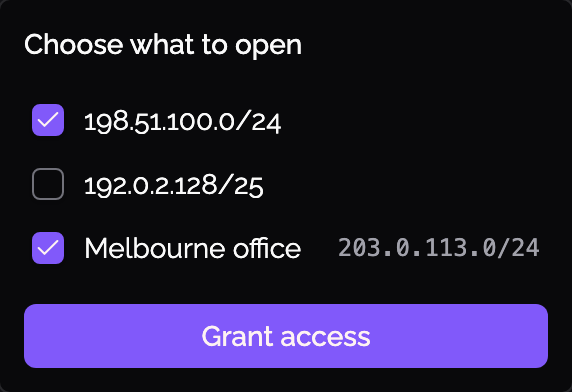
Let the user pick which to open turns the knoc's source list into a choice. Each time they click Grant Access the user ticks which of the sources to open, rather than getting all of them. An automatic grant still takes every source, since there is nobody there to pick. The setting is a checkbox that needs click-to-grant, and says so while click-to-grant is off.
Revoking
A grant remembers the network it was made with. If you edit the knoc's source list while somebody holds a grant, their revoke still withdraws what was granted, not whatever the knoc says now. Changing the list affects the next grant, not one already in flight.
Which Backends Enforce a Network
Most backends push the network as configured: nftables, ipset (on a hash:net set), pf, AWS, GCP, DigitalOcean, MikroTik, Azure, Cloudflare Lists, Okta, Entra, Meraki, F5, Kemp, OPNsense, pfSense (on a network alias), Proxmox, Windows Firewall, Firepower, SonicWall, Sophos UTM and SFOS, FortiGate and FortiManager, PAN-OS address groups, and the allowlist feed.
Some vendor features cannot hold what you typed. The knoc form states each integration's rule as you edit, and a save that breaks it is refused, so you find out while editing rather than on the first grant:
- Check Point Identity Awareness maps one address per identity
- PAN-OS User-ID mappings and registered-IP tags take a single address. Use an address group knoc for a network
- A pfSense host alias holds addresses. The network alias type is the one that holds CIDR
- An ipset
hash:iporbitmap:ipset stores single addresses. Use ahash:netset, or an nftables set withflags interval - Cisco Meraki takes IPv4 only
- Cloudflare Lists take IPv4
/8to/32and IPv6/12to/128 - An agent on an older version cannot grant a whole network. Upgrade it, or use single addresses
Each of those raises an agent error code with its own page under Agent Error Codes.
A Custom Script knoc with Pass CIDR off is a warning rather than a refusal: the script still runs, but it receives a single address instead of the whole network.
Not the Same as Discovering Extra Client Addresses
Predefined sources replace the user's own address with a list you nominate. If what you want instead is to grant more of the user's addresses, for example an internal RFC1918 address alongside their external one, that is a different feature: see Additional client IP addresses.