
Additional client IP addresses
Capturing additional client IP addresses
A client may exhibit behavior where multiple IP addresses are observed as part of the authentication request. Situations such as:
- Internal IP addresses (e.g., 10.0.x.x / RFC1918), should the Server (or MYIP component) be Internally hosted.
- Round-robin IP address assignment, as part of CGNat masquerading for stateless protocols.
- Varying source/client IP addresses for stateful (e.g., SSH, RDP) protocols versus stateless (e.g., HTTP/HTTPS) or ports such as 443/tcp.
Another example may be where a Knocknoc Server is hosted and accessible for some users via an internal (e.g., RFC1918, 192.168.x) IP address, but you want certain Knocs to additionally receive the external IP address for the same user. Alternatively you may cloud/externally host the Knocknoc server, but still want to capture internal IP addresses.
Knocknoc has support for this within the ACL structure via the "Discover additional IP addresses" option, however must first be enabled in the Admin Settings page.
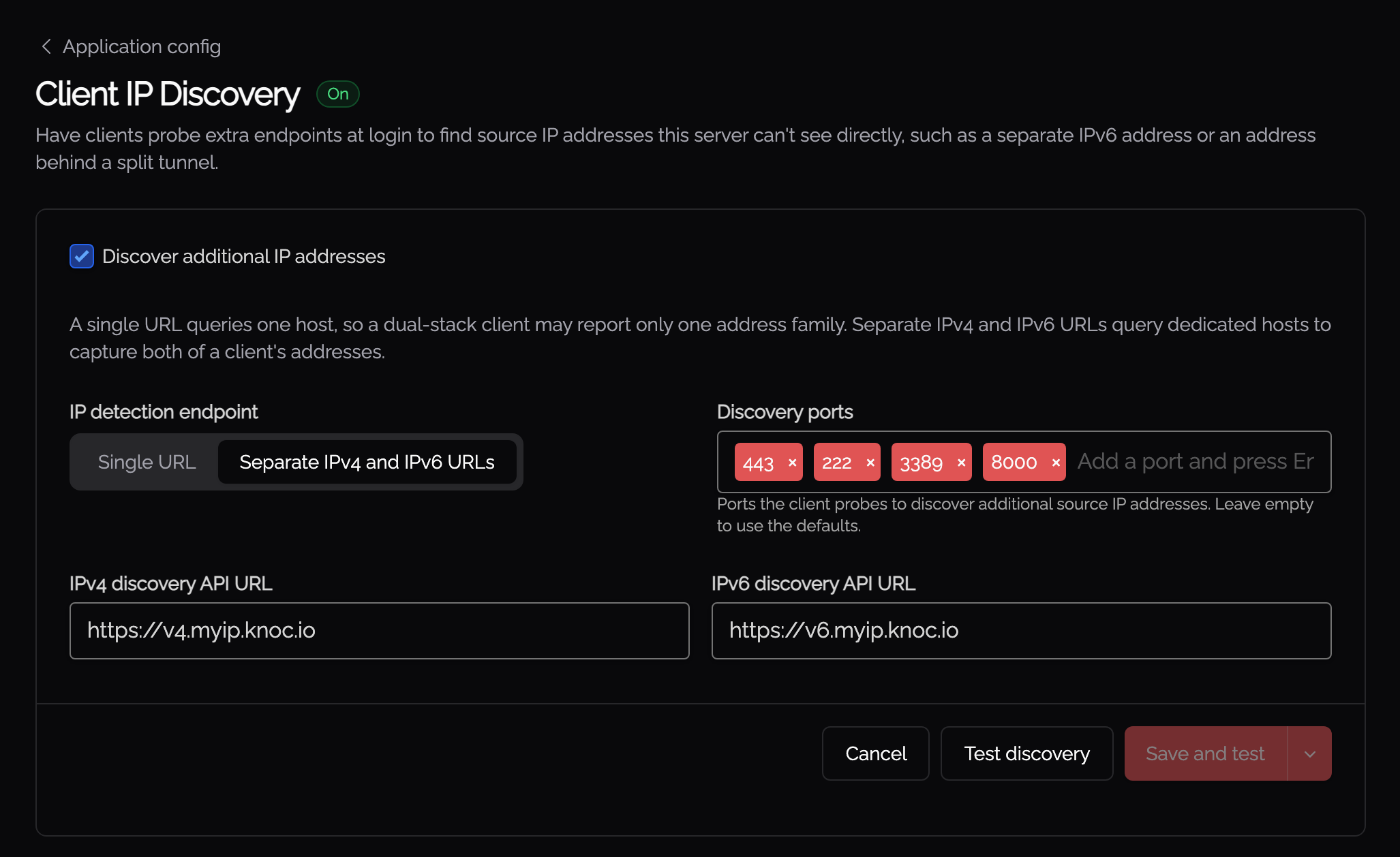
Single URL
The default "myip.knoc.io" address can capture both IPv4 and IPv6 addresses, however it usually will only capture one of the addresses when users have a dual stack configuration (meaning they have both an IPv4 and IPv6 address).
If you want only IPv4 addresses, use: https://v4.myip.knoc.io
If you want only IPv6 addresses, use https://v6.myip.knoc.io
Seperate IPv4 and IPv6 URLs
Using separate URLs for IPv4 and IPv6 addresses is useful for when you know your users have a dual stack configuration (they have both IPv4 and IPv6 addresses), and you would like to give access to both.
For the IPv4 URL, use: https://v4.myip.knoc.io
For the IPv6 URL, use https://v6.myip.knoc.io
The additional IP addresses observed can then be added to the grant list, only if the option is enabled per Knoc. This allows you to only expand the IP addresses for a particular Knoc.
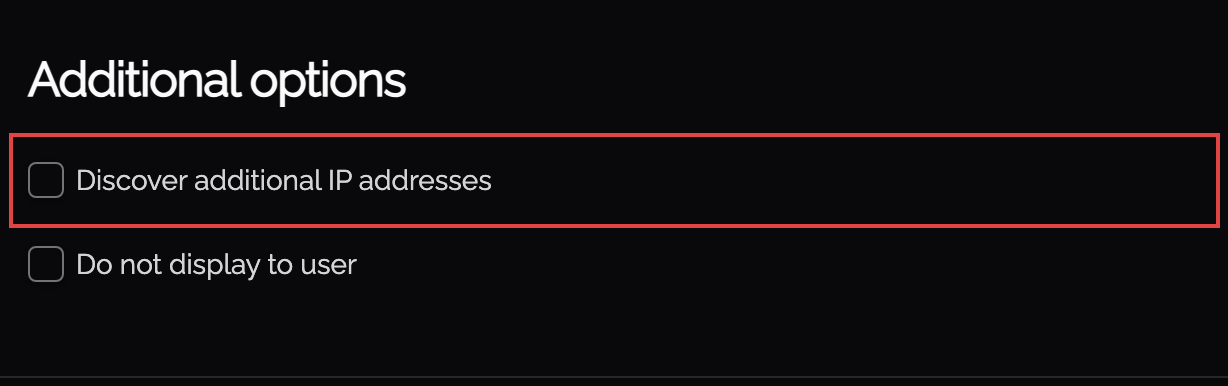
Per-Knoc discovery options
Tick Discover additional IP addresses on a Knoc's options to use discovered addresses. The box stays greyed out until Client IP discovery is switched on in Settings, and hovering it says so.
Ticking it reveals three controls:
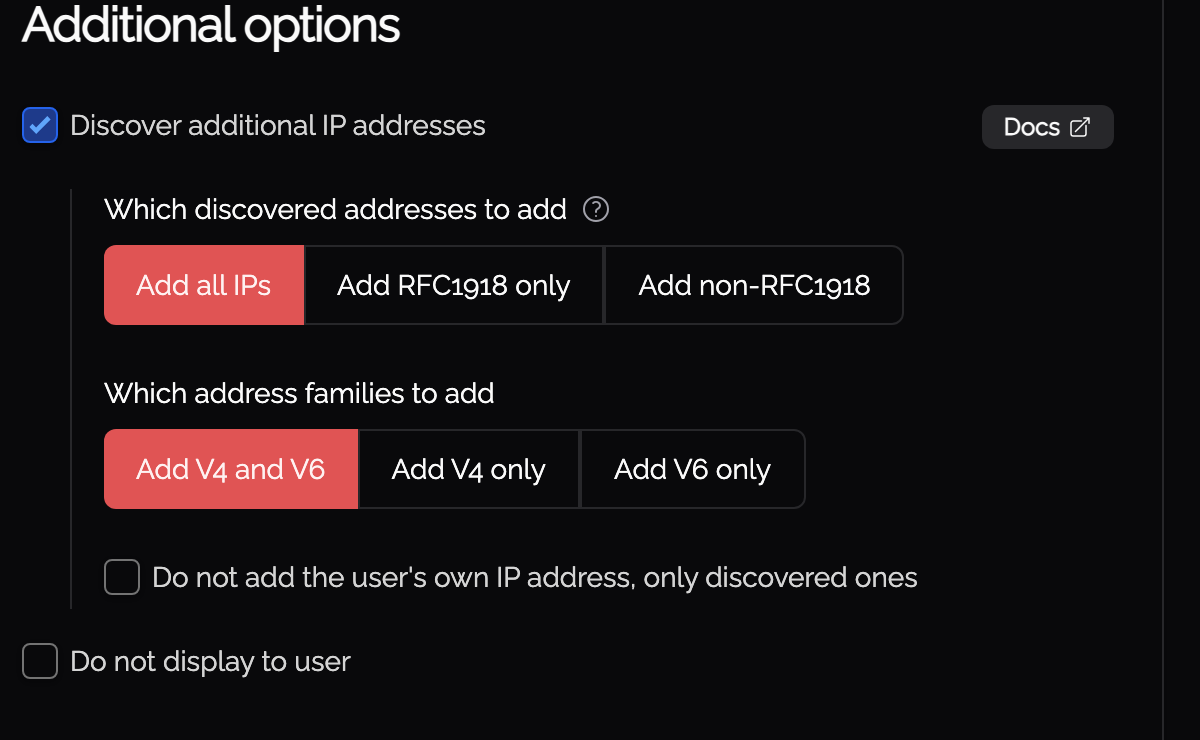
Which discovered addresses to add decides which of the discovered addresses are allowed through. Add all IPs is the default. Add RFC1918 only keeps internal addresses and drops public ones, which suits a Knoc protecting something only reachable from inside. Add non-RFC1918 does the reverse. The RFC1918 option also covers IPv6 unique-local addresses (fc00::/7).
Which address families to add limits the grant by family. Add V4 and V6 is the default. Use Add V4 only or Add V6 only where the protected device only understands one of them, so a user on a dual-stack connection does not have a useless address granted.
Do not add the user's own IP address, only discovered ones grants the discovered addresses and nothing else. Without it the Knoc grants the address the server saw plus whatever discovery found.
A discovered address outside these settings is skipped rather than granted, and the audit log records it as "Discovered IP skipped: outside the Knoc's discovery settings".
Two things to know about the accept-only option. If discovery has not returned anything yet, the user is told to wait a moment and try again. If discovery is switched off on the server, they are told to contact their administrator, because that Knoc can now grant nothing at all.
You can develop and host your own component that fits the expected IP address response, e.g., a Microsoft .Net, Java or Node/Go/PHP microservice/function, and configure Knocknoc to use this to capture the relevant IP addresses in the parts of your organization that matter.
Get in touch to talk to us about this option.