
201150 - Failed to Get Address Group
Agent error code #201150 indicates that the Knocknoc agent was unable to retrieve an address group from the SonicWall firewall. The agent retrieves address groups to determine the current membership before adding or removing IP addresses.
This error occurs when:
- The address group specified in the Knocknoc ACL configuration does not exist on the SonicWall firewall
- The API user does not have permission to read address groups
- The SonicWall API returned an unexpected or malformed response
Steps to Resolve
Verify the Address Group Exists
Confirm that the address groups configured in Knocknoc exist on the SonicWall firewall:
- Log into the SonicWall management interface
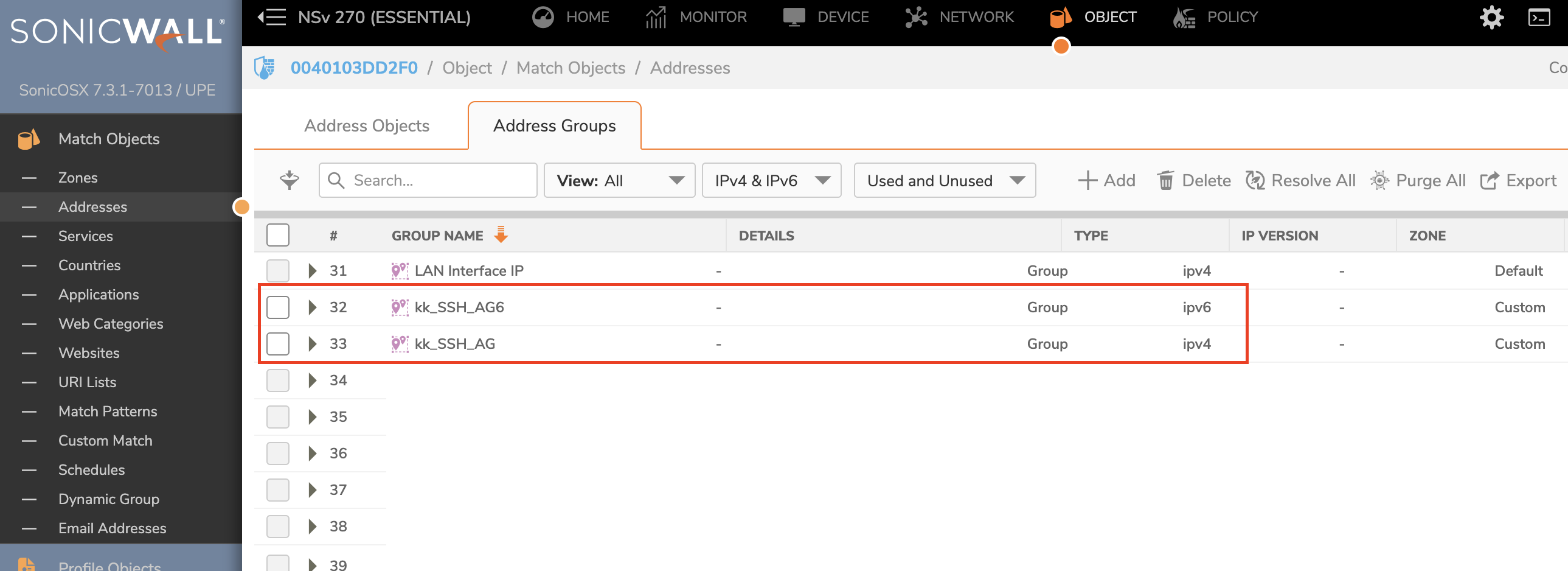
- Navigate to Object > Match Objects > Addresses > Address Groups (tab)
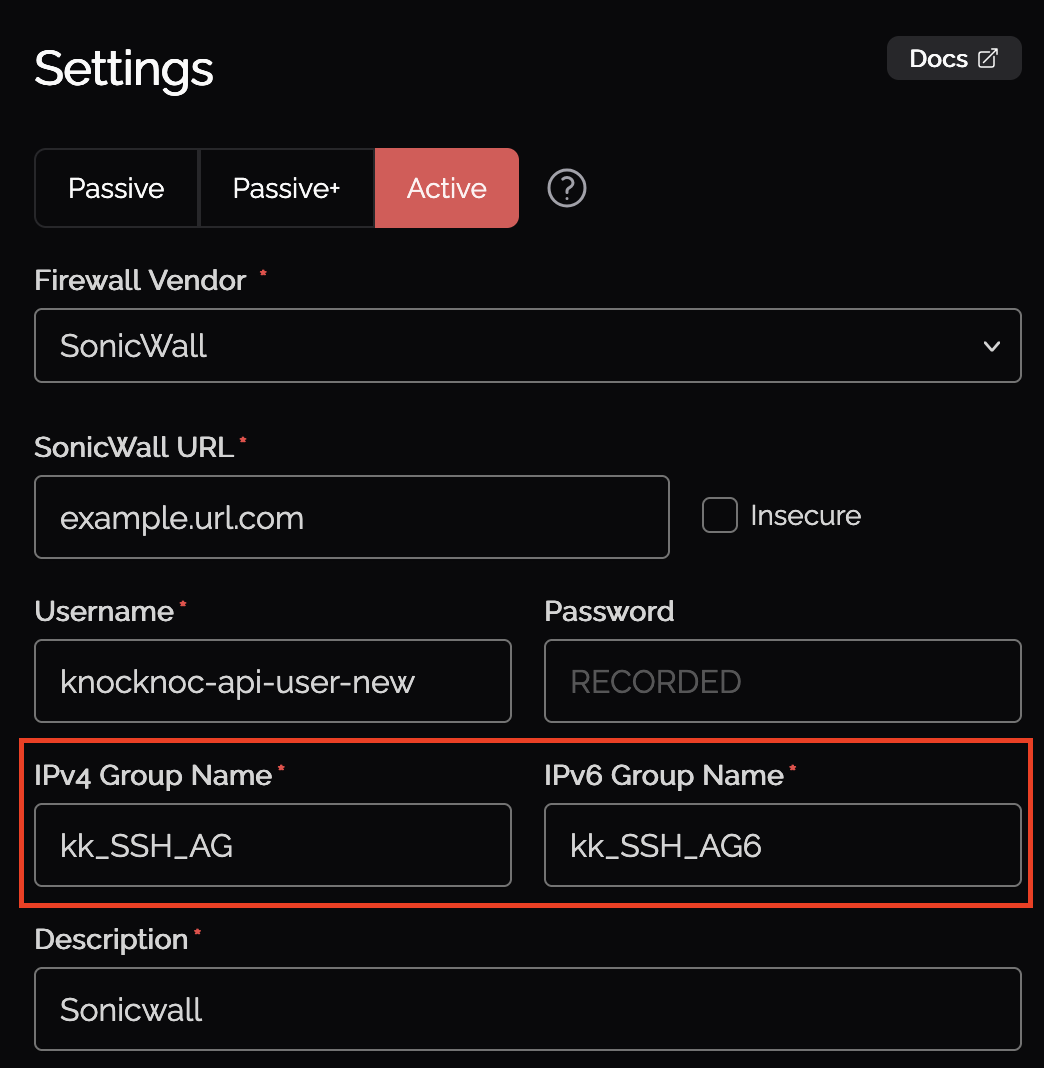
- Verify that the IPv4 and/or IPv6 address groups specified in the Knocknoc ACL configuration exist
- If the groups do not exist, create them before attempting to grant access
The address group names in Knocknoc must match exactly with the names on the SonicWall firewall, including capitalization.
For more details on configuring address groups, see the SonicWall backend setup guide: TODO.
Verify API User Permissions
The API user must have sufficient permissions to read address groups:
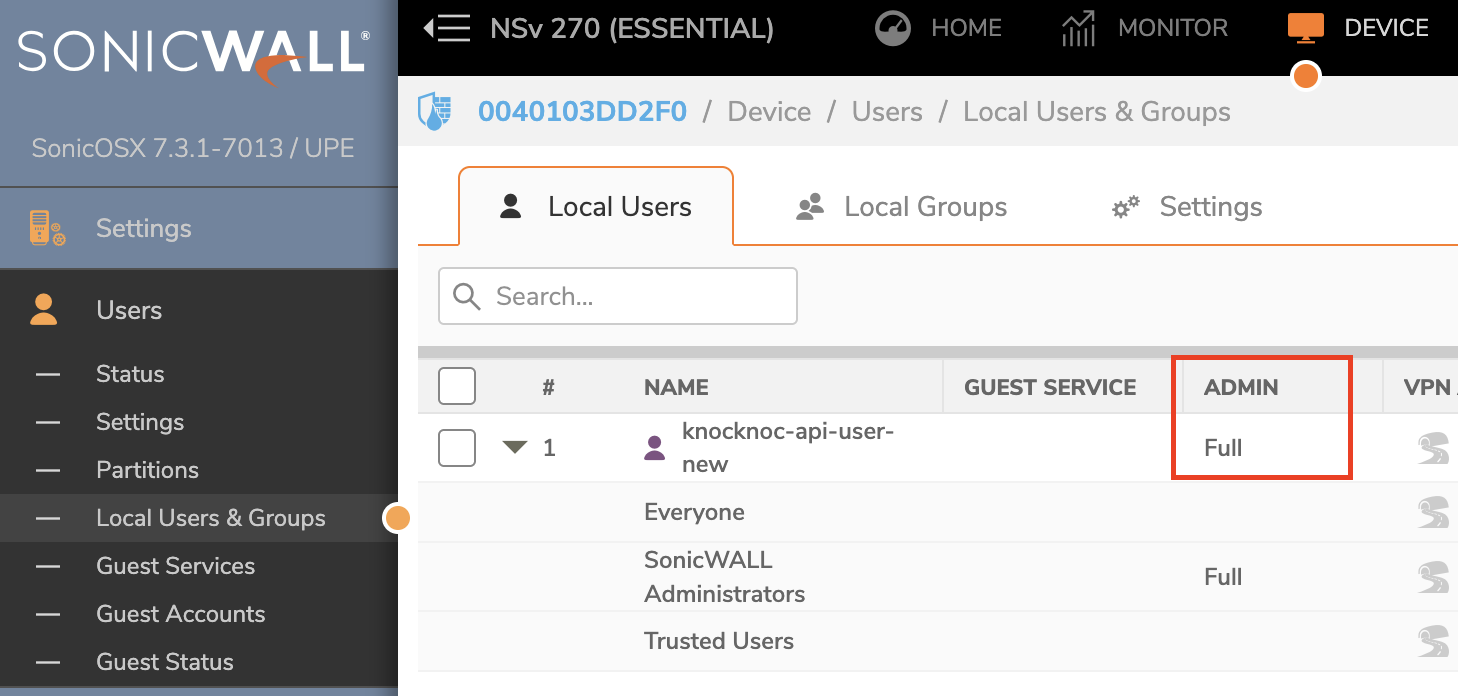
- In the SonicWall management interface, navigate to Device > Users > Local Users & Groups
- Verify the API user has administrative privileges or appropriate read permissions for address objects and groups
- If the user belongs to a restricted group, consider assigning them to a group with full administrative access
For more details on API user configuration, see the SonicWall backend setup guide: TODO.
Still Having Issues?
We can help you out, contact us at support@knocknoc.io.