
201002 - Password Change Required
Agent error code #201002 indicates that the SonicWall firewall requires the API user's password to be changed before API access can continue. The agent successfully connected to the firewall, but the firewall's password policy is preventing further API operations.
This error occurs when:
- The password does not meet the SonicWall's password complexity requirements
- The password has expired according to the firewall's password policy
- The account is flagged for a mandatory password change (such as after initial setup or an administrator reset)
Steps to Resolve
Change the Password on the SonicWall Firewall
- Log into the SonicWall management interface using a web browser
- Navigate to the user account settings for the API user
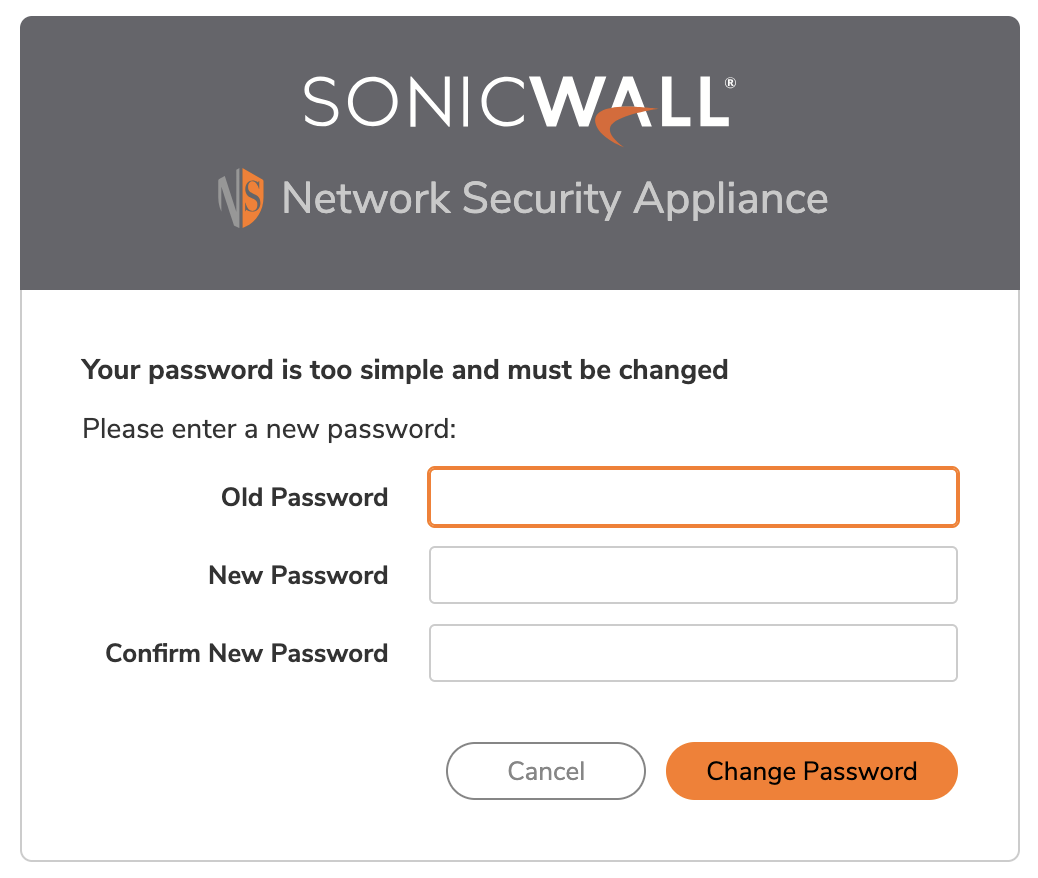
- Change the password to one that meets the firewall's password complexity requirements
- Ensure the new password is sufficiently complex (typically requires a mix of uppercase, lowercase, numbers, and special characters)
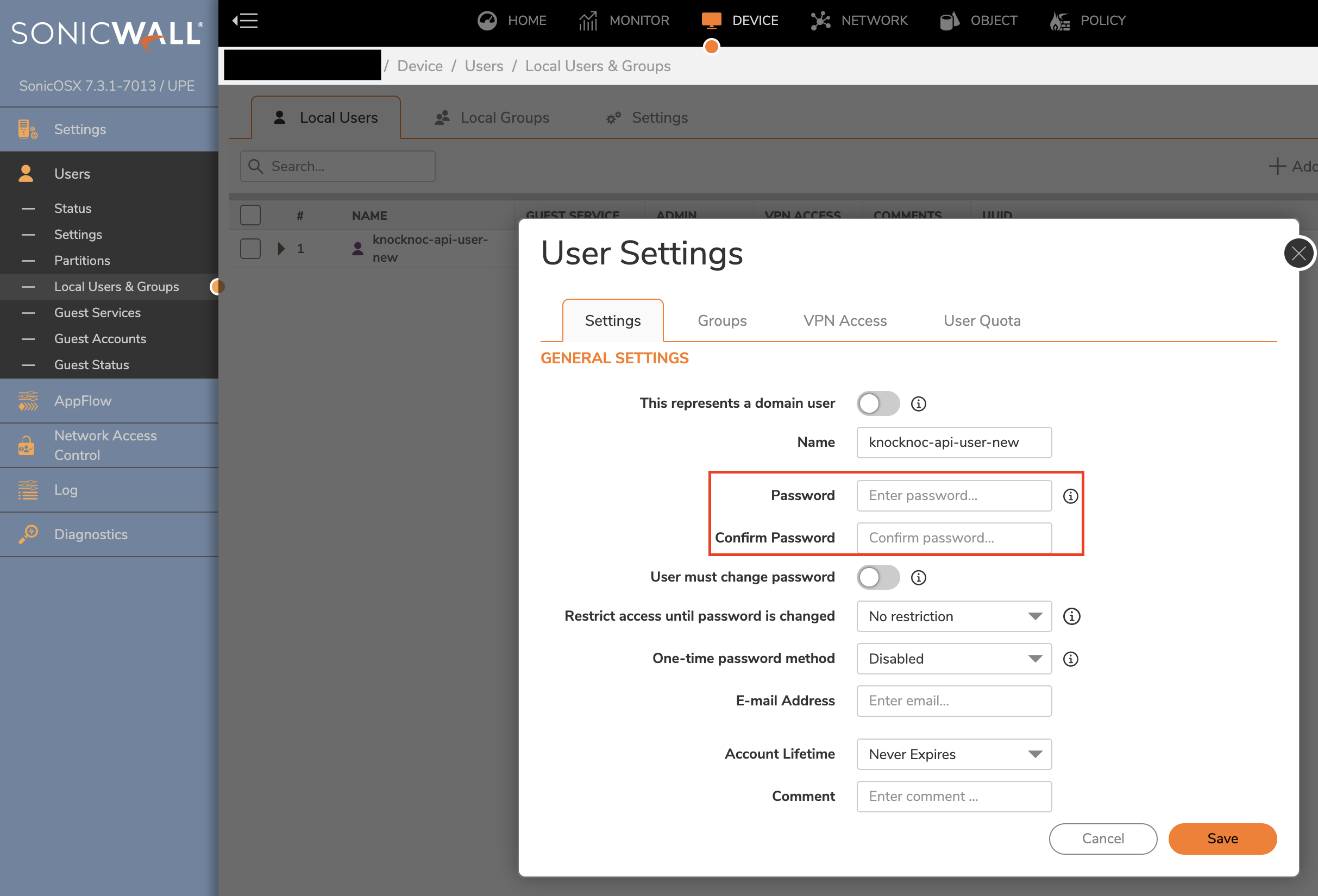
If you try to log in as the API user, you should NOT see this popup. If you do, please try a stronger password.
Update the Password in Knocknoc
After changing the password on the SonicWall firewall:
- In the Knocknoc admin interface, navigate to the backend configuration for the affected SonicWall firewall
- Update the password field with the new password
- Save the configuration
For more details, see the SonicWall backend setup guide: TODOguide.
Review Password Policy Settings
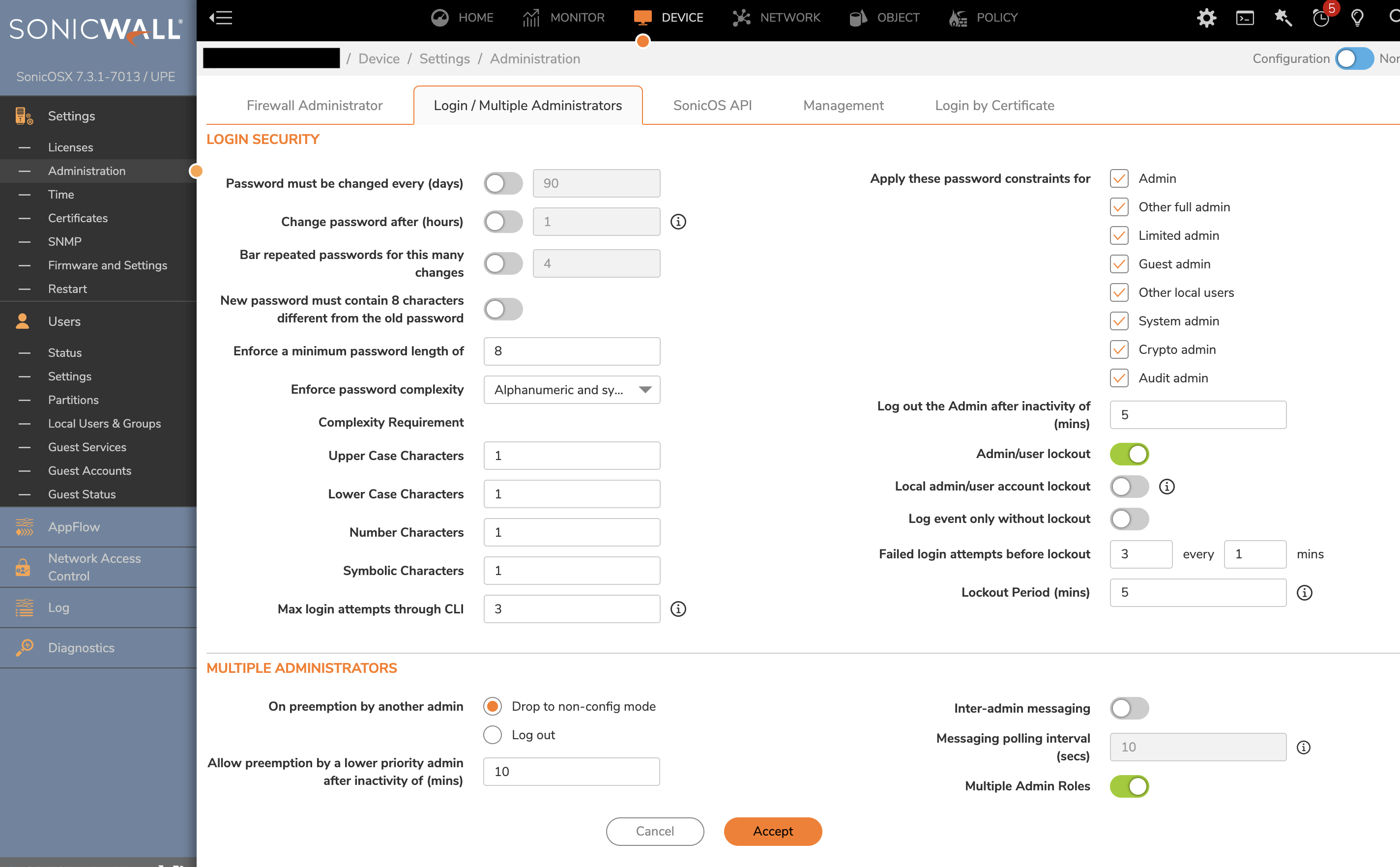
If this error occurs frequently, consider reviewing the SonicWall's password policy settings:
- In the SonicWall management interface, navigate to the password policy configuration
- Review the password expiration settings
- Consider whether the expiration period is appropriate for API service accounts
For more details, see the SonicWall backend setup guide: TODOguide.
Still Having Issues?
We can help you out, contact us at support@knocknoc.io.