
200105 - Failed to Remove Address from Address Group
This error indicates that the Knocknoc agent was unable to update an address group on the Palo Alto Networks firewall to remove an address object during access revocation. This error occurs when using Active mode: TODO, where Knocknoc directly manages address objects and address groups on the firewall.
This error typically occurs when:
- The address being revoked is the last member of the address group, and PAN-OS rejected the update because static address groups require at least one member
- The API key lacks permission to modify address groups in the configured device group or virtual system (vsys)
- A configuration lock held by another administrator is preventing changes
- Network connectivity issues prevented the request from completing successfully
Steps to Resolve
Check if the Address Group Would Become Empty
PAN-OS requires static address groups to have at least one member. If the address being revoked is the only member in the group, PAN-OS will reject the update.
This situation occurs when a single active grant is being revoked and no other grants are using the same address group. To resolve this, ensure the address group has at least one persistent member (such as a placeholder address object) that is not managed by Knocknoc.
For more details, see the Palo Alto setup guide: TODO.
Verify API Key Permissions
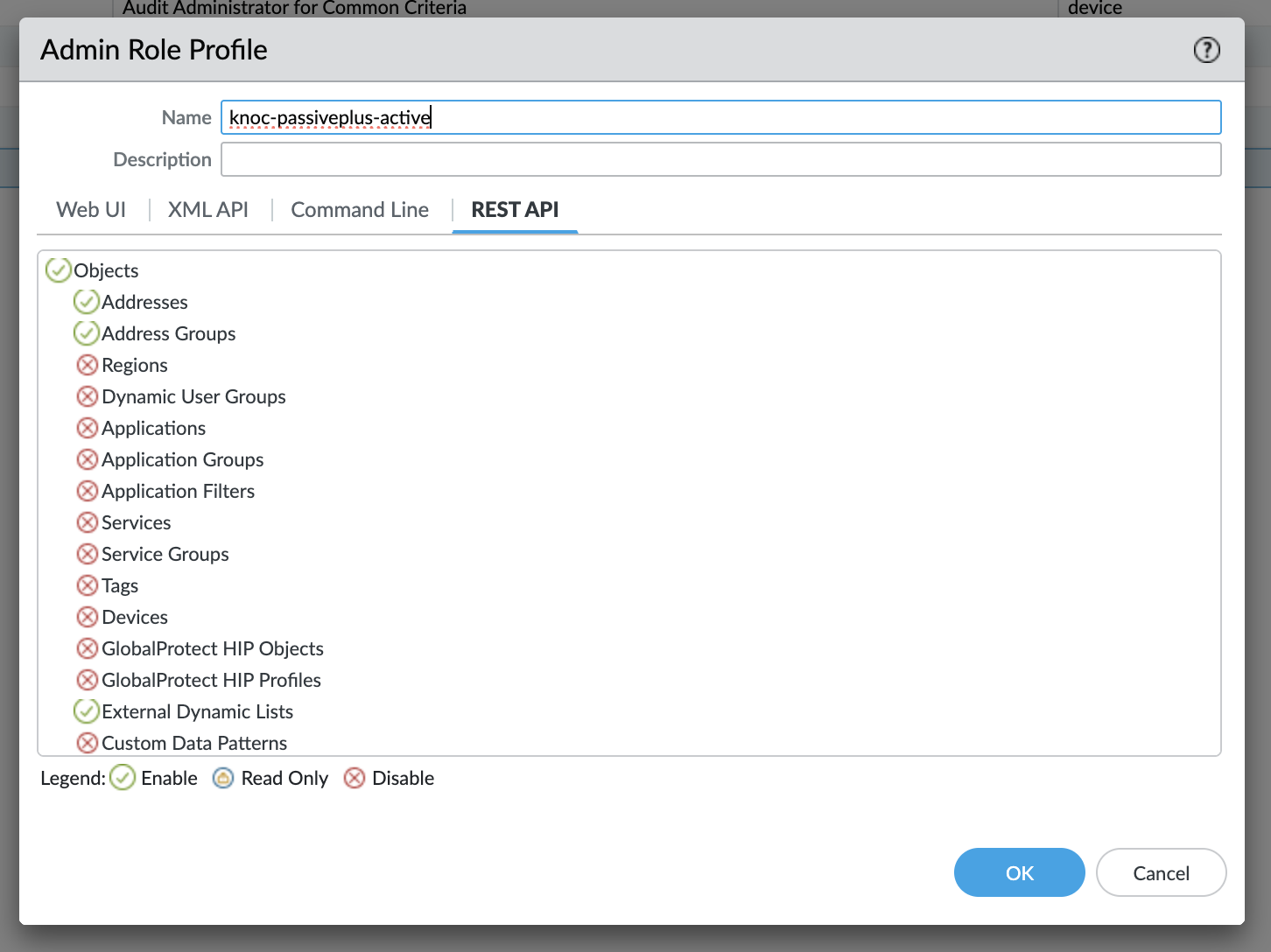
The API key must have permission to modify address groups in the configured location (device group or vsys):
- Log into Panorama or the firewall's web interface
- Navigate to Device > Admin Roles and locate the role assigned to the admin account used to generate the API key
- Verify the admin role has write access to address groups (REST API Objects > Address Groups)
For more details on API key configuration, see the Palo Alto setup guide: TODO.
Check for Configuration Locks
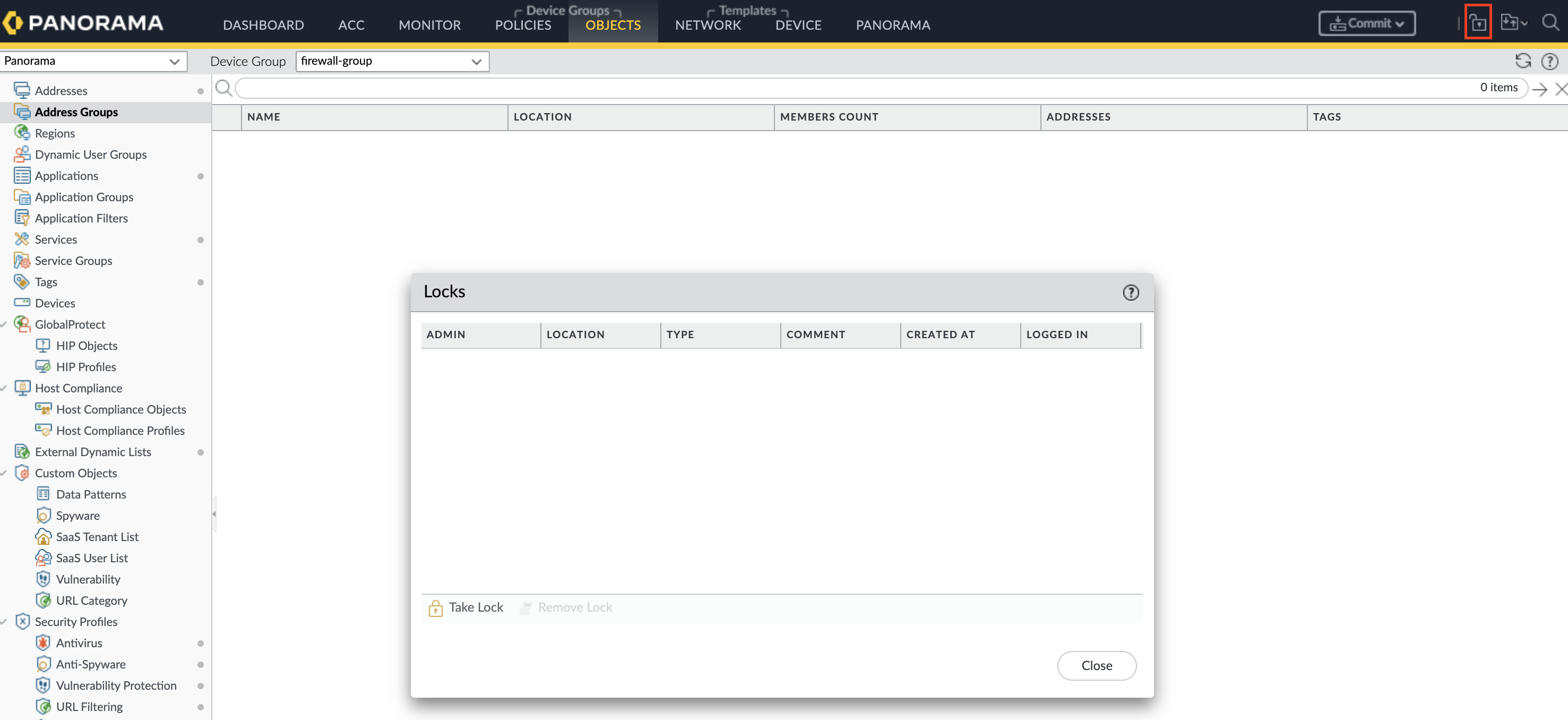
Another administrator or management session holding a configuration lock will prevent the agent from modifying the address group:
- Log into the firewall or Panorama web interface
- Check for any pending configuration locks by navigating to the lock icon in the top bar
- Release any locks that are no longer needed
Check Network Connectivity
Verify that the agent can reach the firewall or Panorama management interface:
- Confirm the hostname or IP address in the backend configuration is correct
- Verify that the management port (typically 443) is accessible from the agent
- Check for any firewall rules or network policies that may be blocking the connection
Still Having Issues?
We can help you out, contact us at support@knocknoc.io.