200000 - Target Firewall Not Connected to Panorama
Uploading..This error occurs when the Knocknoc agent attempts to refresh an External Dynamic List (EDL) on a Palo Alto Networks firewall through Panorama, but the target firewall cannot be reached.
Common causes include:
The firewall is not connected to Panorama (it may have lost connection)
The firewall does not exist in Panorama
The firewall serial number configured in Knocknoc does not match the device in Panorama
The specified vsys (virtual system) does not exist on the target firewall
Steps to Resolve
Verify Firewall Connectivity to Panorama
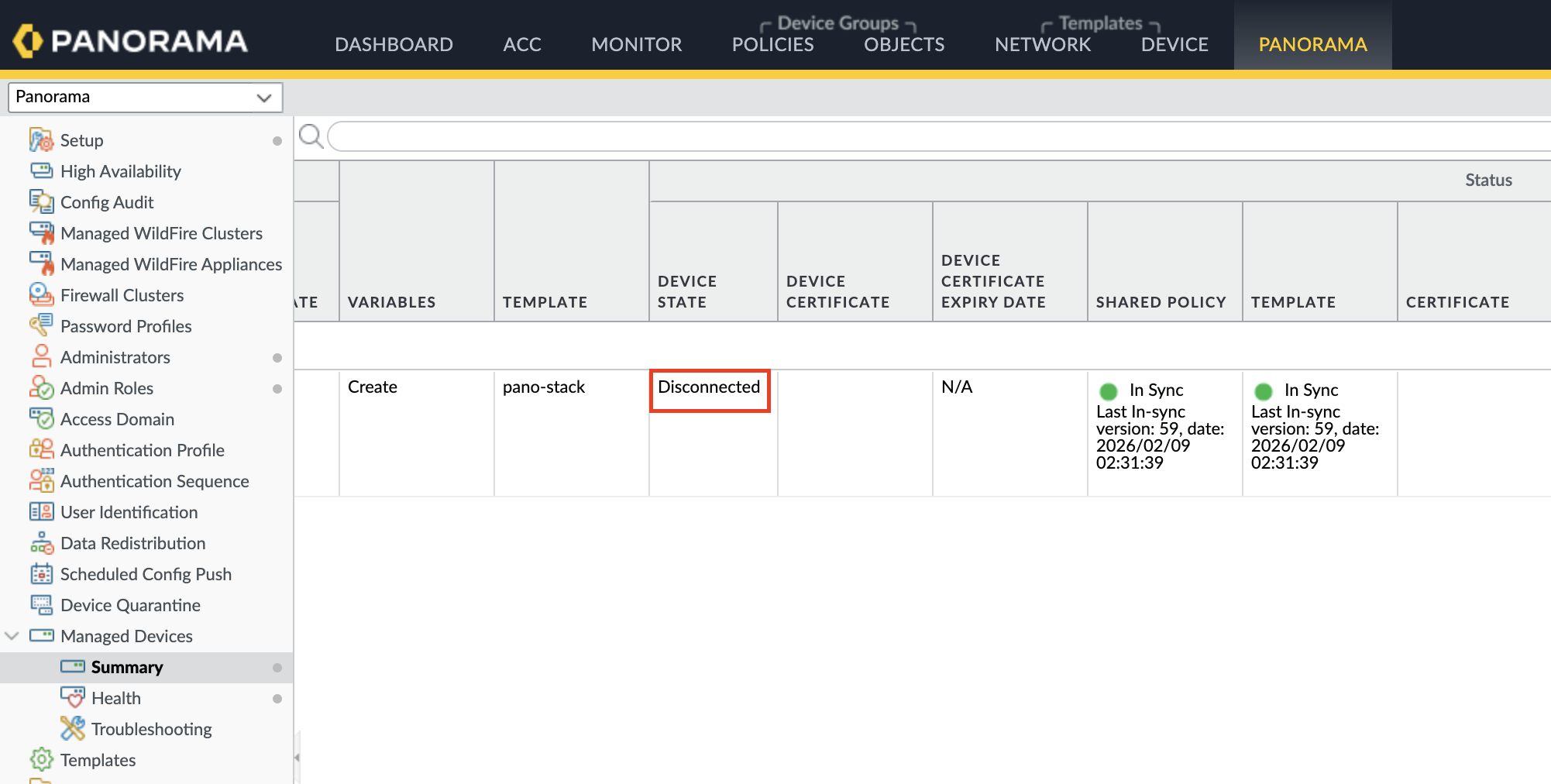
Log into Panorama and check the device status under Panorama > Managed Devices
Ensure the target firewall shows as "Connected"
If disconnected, investigate network connectivity between the firewall and Panorama
Validate the Serial Number Configuration
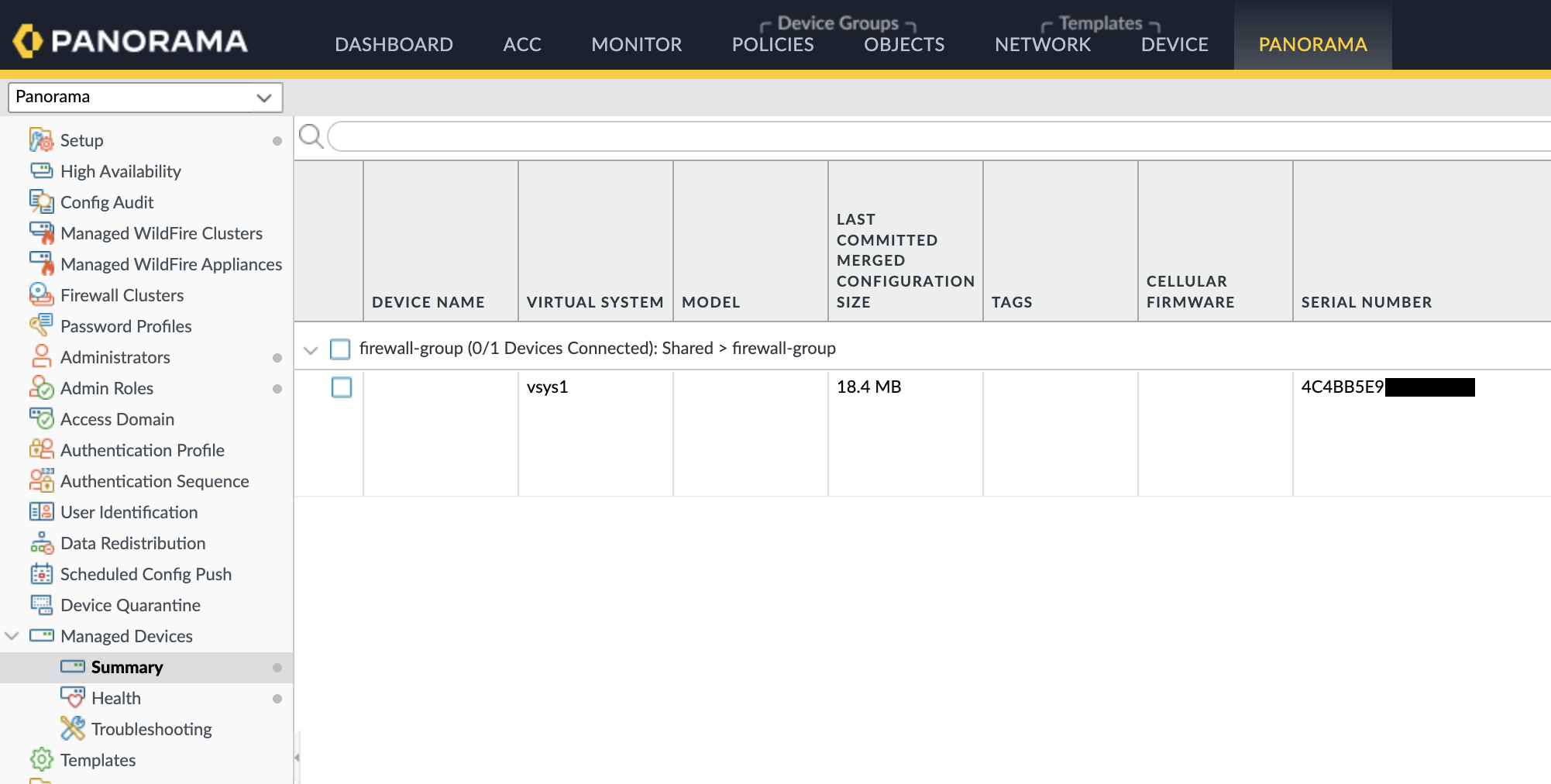
Confirm the firewall serial number configured in Knocknoc matches the actual device serial number
Serial numbers can be found in Panorama under Panorama > Managed Devices or on the firewall under Dashboard > General Information
Verify the Virtual System (vsys) Configuration
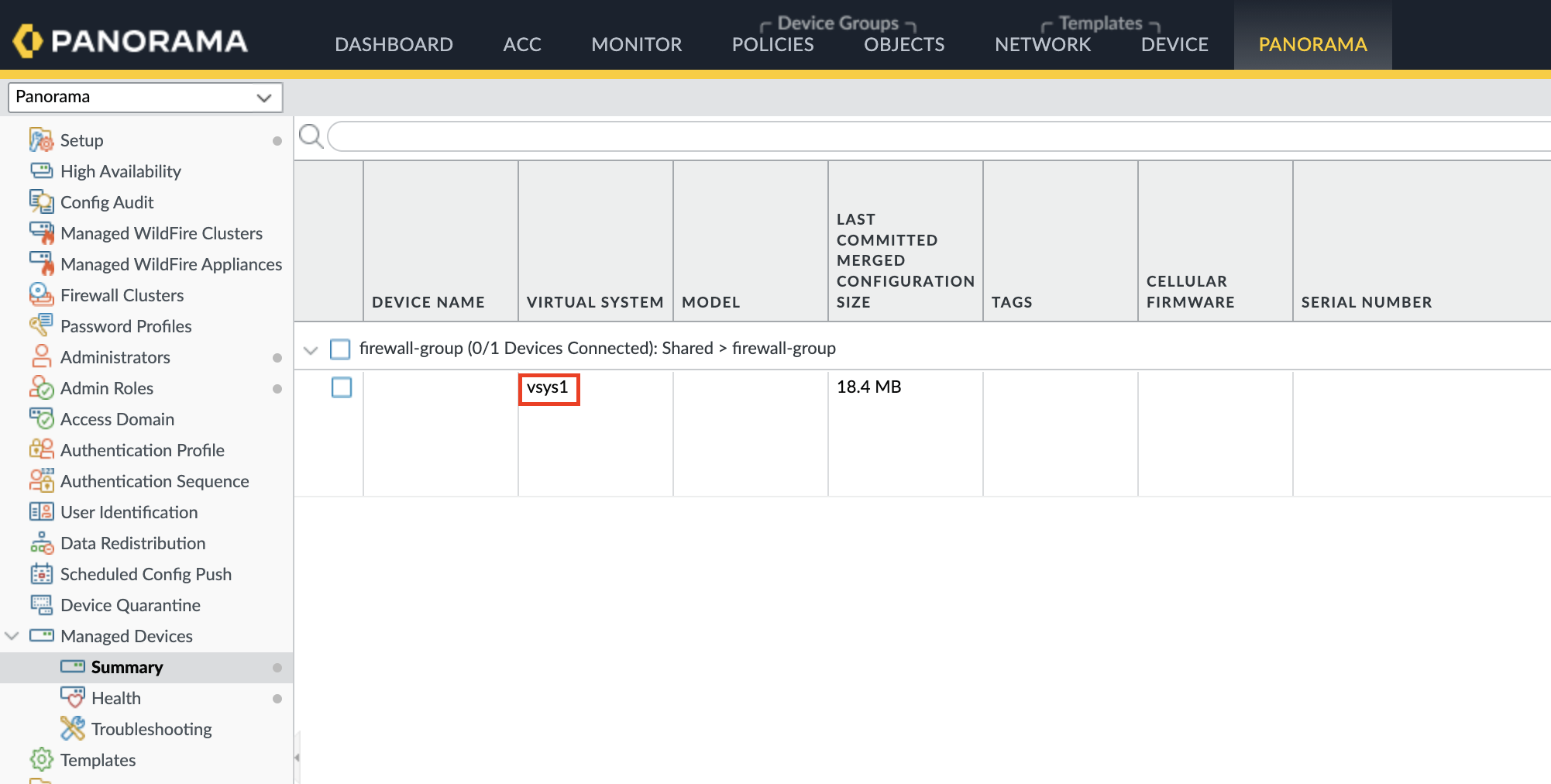
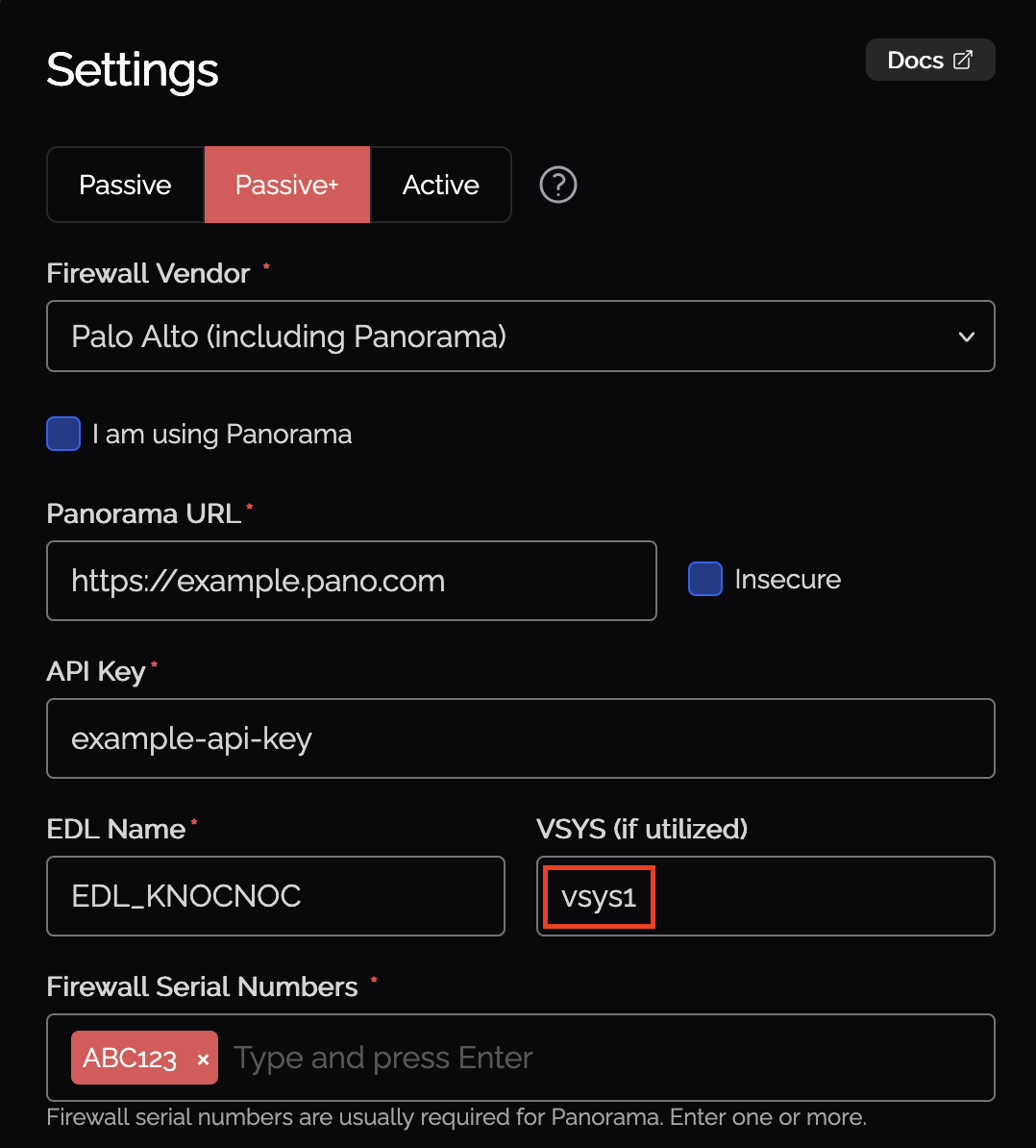
If using multi-vsys mode, ensure the specified vsys exists on the target firewall
Check the vsys configuration in Knocknoc matches the firewall's vsys naming (e.g., "vsys1", "vsys2")
Check Panorama-Firewall Communication
Verify that the firewall can reach Panorama on the required ports (typically TCP 3978)
Check for any firewall rules or network issues blocking the management connection
Ensure all Firewall Changes are Committed and Pushed to Devices
Changes to Palo Alto Networks firewalls must be committed before they take effect. When pushing configuration from a Panorama instance, the "Push to Devices" option must also be selected after committing.

Still Having Issues?
We can help you out, contact us at support@knocknoc.io.
